๐ Welcome to 1Click Maker
Build amazing HUDs.One click at a time.
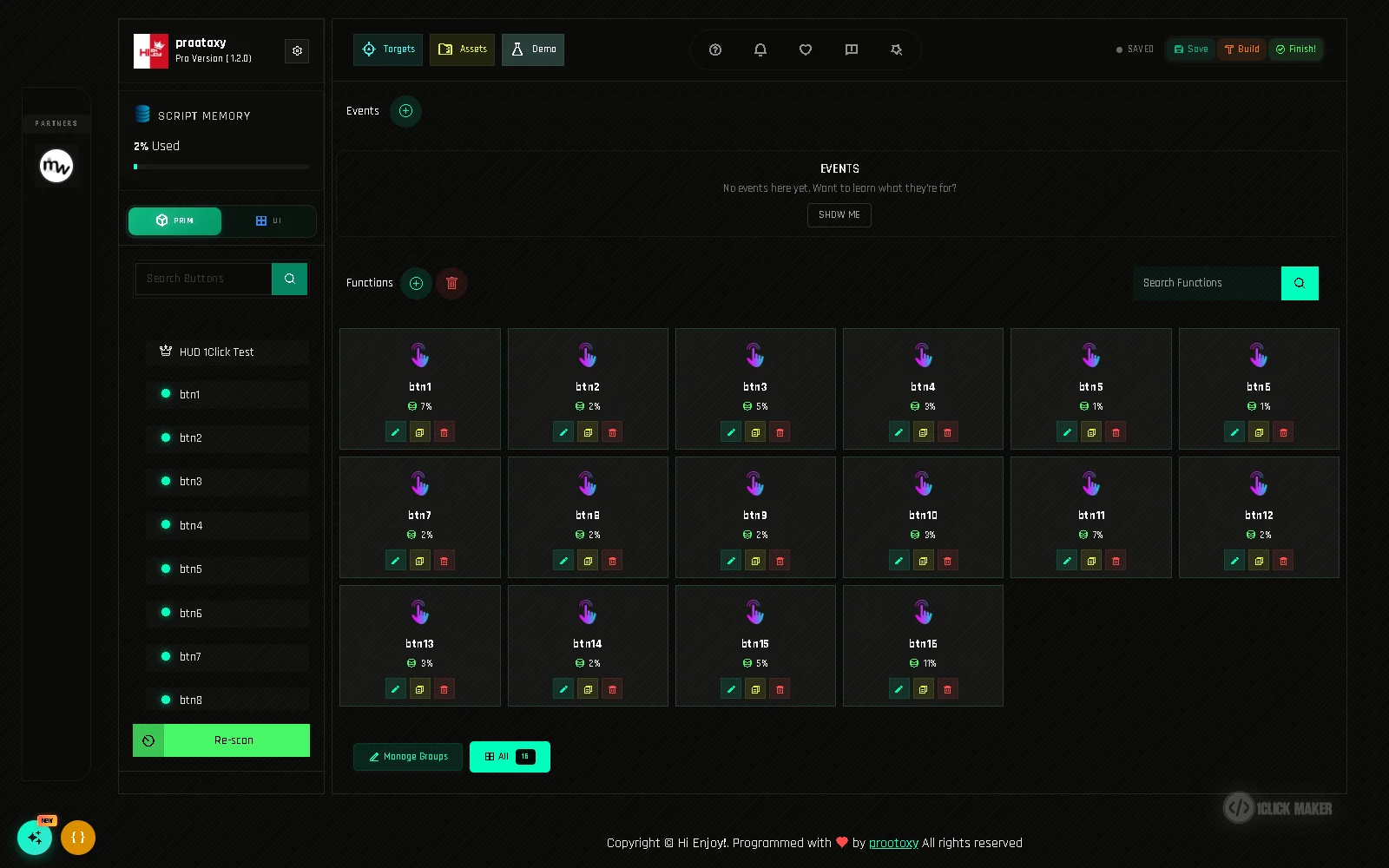
1Click Maker is a powerful and intuitive tool that lets you create complex HUDs and items for Second Life with just a few clicks. No coding required. Just creativity, speed and endless possibilities.
Create
Customize
Done!
Customize
Done!
๐กLess work,
more fun!
What is 1Click MAKER?
One Click MAKER is a system that lets you create complex HUDs and items for Second Life with just a few clicks. Things that used to need a scripter, hours of UUID copying and a lot of patience are now a panel in your browser: click a button, pick an action, press Build.
more fun!
๐ Key Features
Simplified HUD and Item Creation
- Build interactive HUDs with advanced behavior without writing a line of code.
- Add complex functions to your projects with one click.
- Textures, sounds, animations, materials and objects, all in one panel.
- Say goodbye to copying and pasting UUIDs. Drop, scan, click.
- 30 actions, 15 events, variables and conditions.
- Reuse and clone functions, then adjust only what changes.
๐งญ Where to start
QuickstartYour first working button in about 10 minutes.How it worksPanel, scripts and Second Life: what talks to what.Texture change HUDThe classic clothing HUD, step by step.Actions listEvery action with its fields, cost and plan.Conditions & variablesToggles, modes and real interactivity.TroubleshootingSomething not working? Start here.
โก How a project flows
- 1Rez & drop scriptsPut the HUD on the ground and drag *BUILD and *FUNCTIONS into it.
- 2Open the panelClick the link the HUD says in chat. Scan buttons, targets and assets.
- 3Add actionsClick a button, add actions, press Build and test in-world. Repeat.
- 4FinishFinish cleans the HUD. It is ready to sell or share.
๐ค Why creators choose 1Click Maker
- Speed. Turn hours of work into minutes. A 20-texture clothing HUD takes about five minutes with function cloning and assets.
- Safety. When you press Finish, every texture, sound and UUID is removed from the HUD. Your customers get a working product, not your source files.
- Flexibility. 30 actions, 15 events, variables and conditions. Texture HUDs, AOs, light switches, animesh controllers, demo versions, and whatever you come up with next.
- Reuse. Clone a function, change one asset, done. Helper functions keep shared logic in one place.
- No coding. Everything is a form. If you can name a prim, you can build a HUD.
New here?
Read the Important Recommendations first (two minutes, saves hours), then follow the Quickstart.