
Gift Cards PRO
Gift balance your customers spend at your vendors. There is no object in Second Life: the balance lives on the server, so nobody can clone a card, lose it or refuse it.
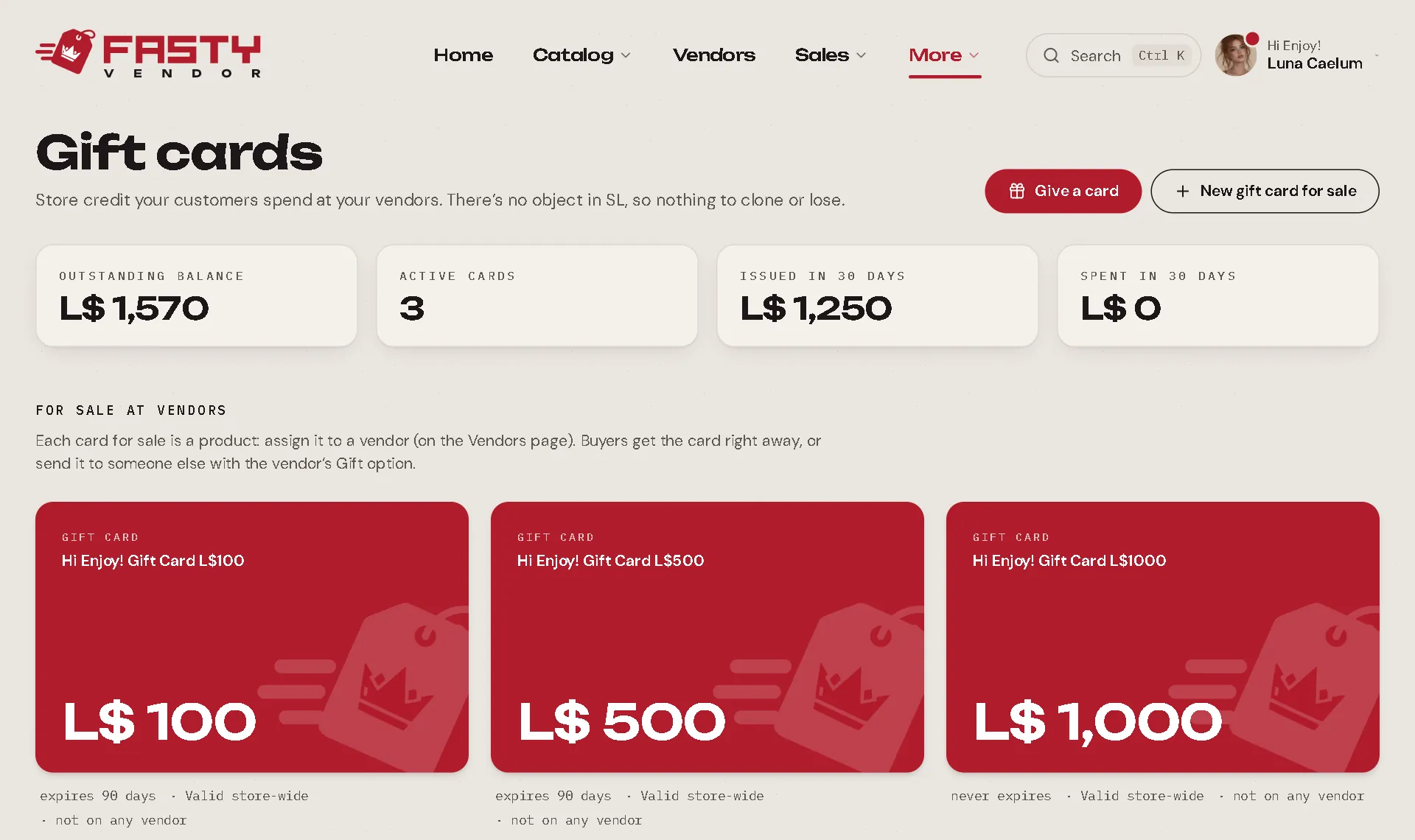
Two ways to put cards out there
1. Sell cards at a vendor
Press New card for sale. Give it a name (Hi Enjoy! Gift Card L$500) and a value: that is both the vendor price and the card balance.
Choose the balance validity (Never expires, or Expires in N days, counted from when each card is issued) and where the balance works: Whole store, All except… or Only selected items (products and groups).
Pick that card on a vendor, in Vendors, like any product.
Whoever buys it gets the card right away, with a link in chat. Using the vendor's Gift menu, the card goes to someone else, who gets an IM. Changes to a card for sale only affect the next cards; cards already issued keep their rules.
2. Give a card from the panel
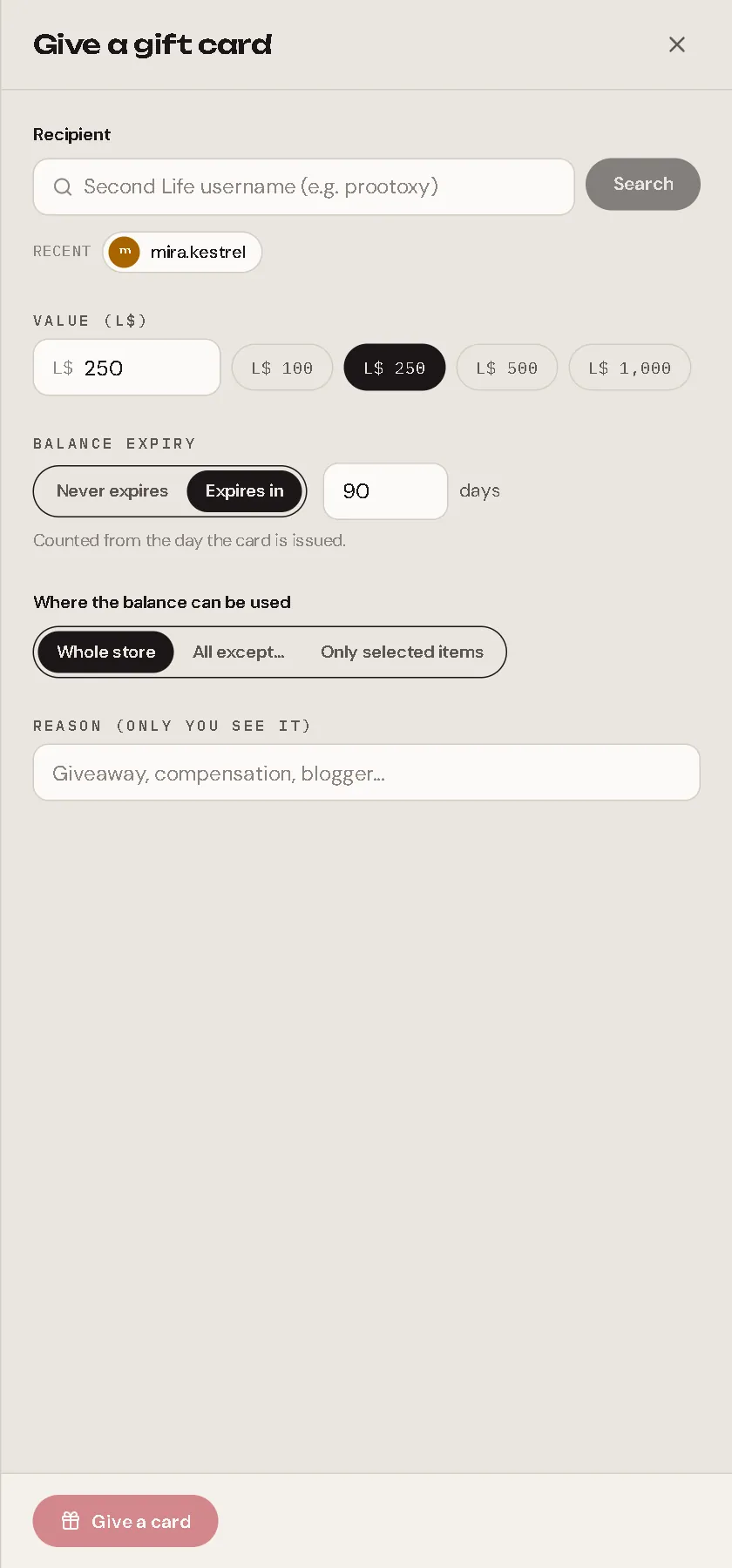
Press Give a card: choose the person by Second Life username, the value, the validity, where it works and a reason only you see (giveaway, make-good, blogger…). They get a notice in Second Life.
How customers spend it
At any of your vendors: touch → Gift card. The button only appears when someone in your store has gift card balance.
| Situation | What happens |
|---|---|
| One card works for this product | A dialog shows the amount: Confirm or Cancel. If the balance covers the price, the item is sent right away. |
| Two or more cards work | The customer gets a private link (valid 2 minutes) to their wallet, where they choose which cards to use. |
| The cards cover only part | The vendor is reserved for 60 seconds for them, and Pay asks only for the difference. |
During that reservation, a payment from anyone else is refunded right away.
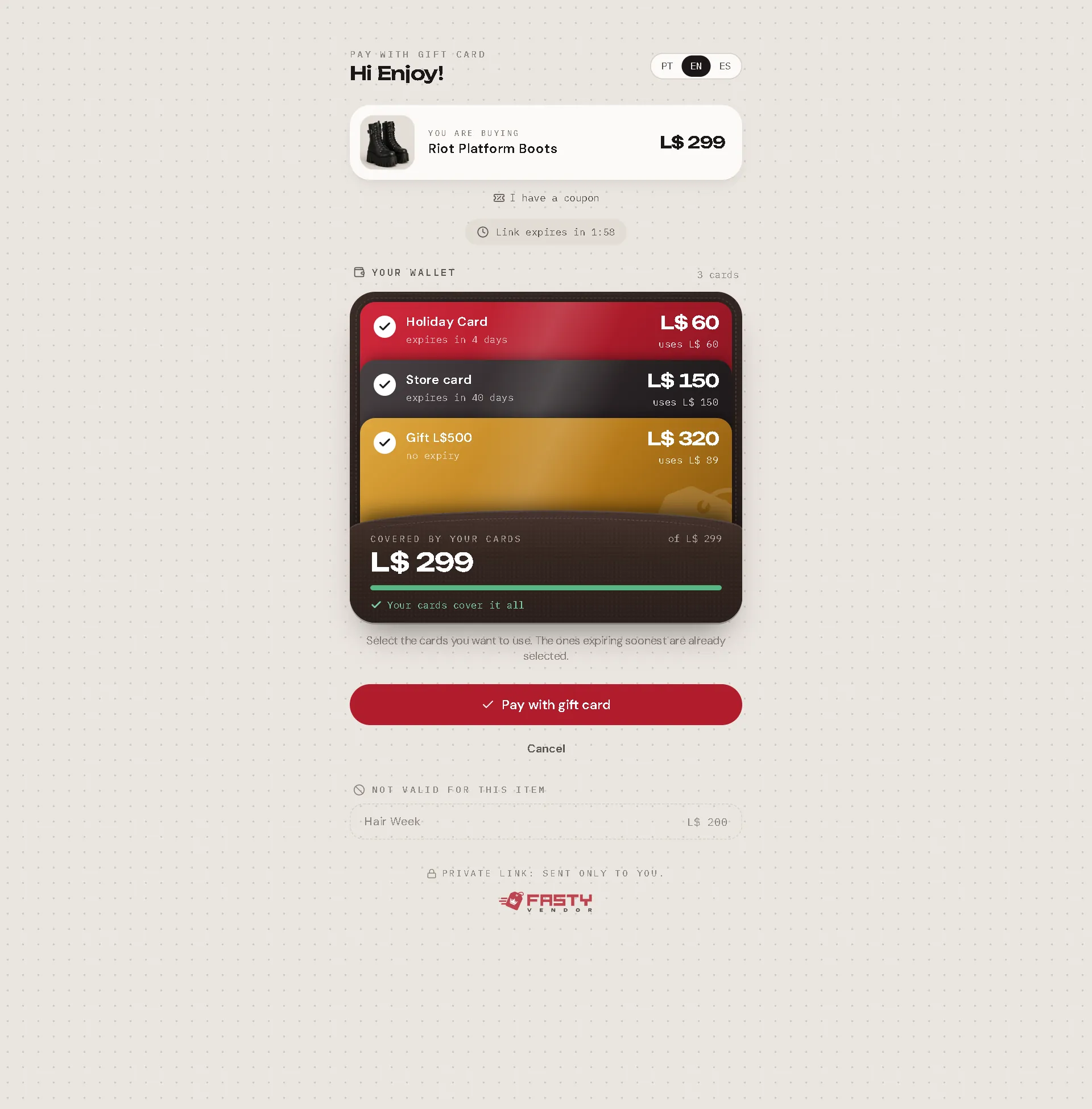
The wallet picks the cards that expire first, shows how much each one will use and how much is still missing. Cards that don't work for this item are shown apart. It also has I have a coupon: see Coupons.
The card page
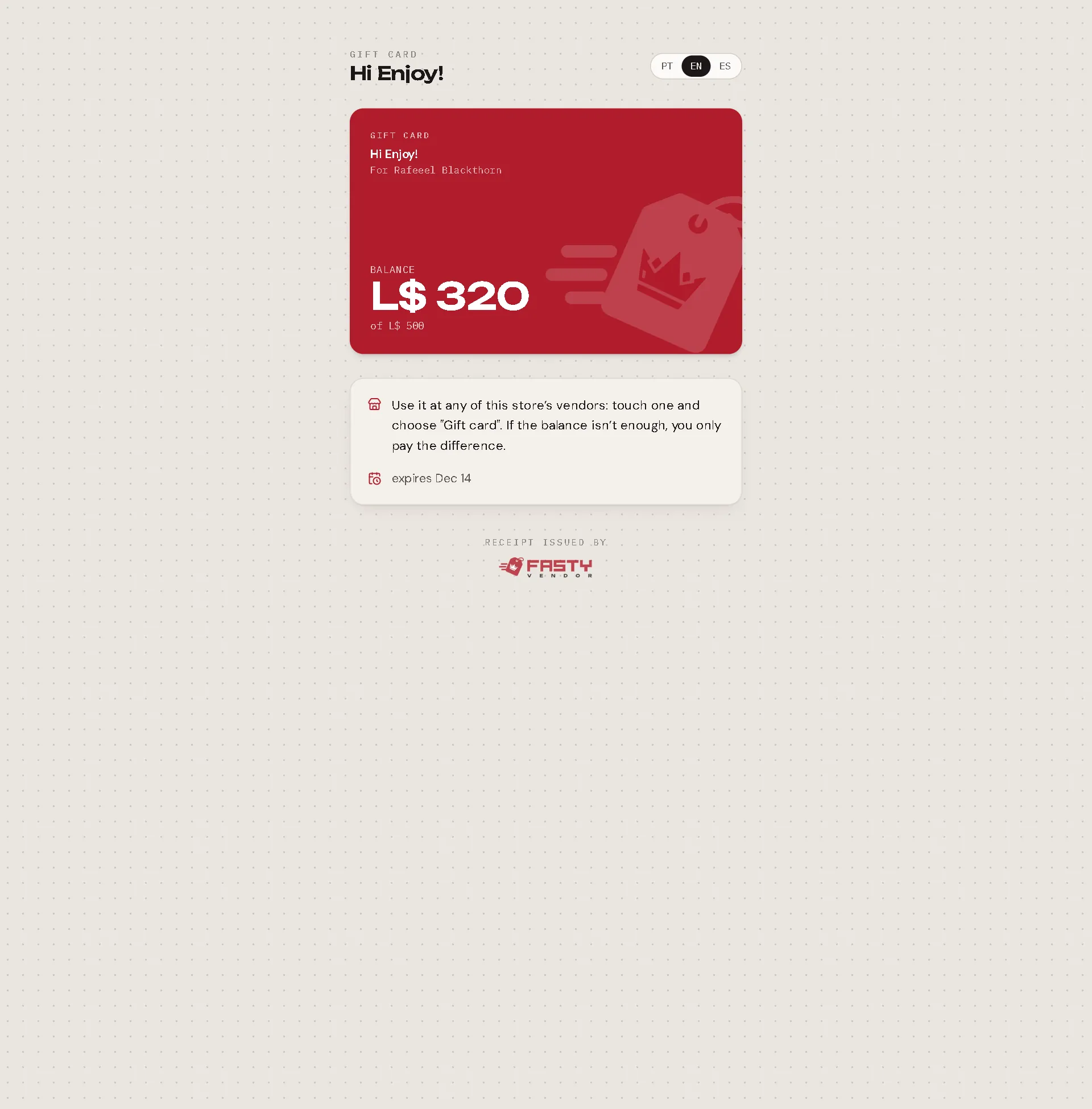
Every card has its own page (the link the customer got): the card, the balance, the expiry, where it works and how to use it.
Managing issued cards
The Issued cards list (tabs: Active, Used, Expired, Canceled; search by holder) opens a card's drawer:
- Balance and history: issued, spent, returned by a refund, adjustments.
- Copy card link, Adjust balance (use a negative number to take), Change validity and Cancel card (the balance goes to zero; the history stays).
Money and refunds
- Your revenue counts the card when it is sold, not when it is spent. A sale paid with a card shows "+ L$ X on gift card", and your received only counts L$ that came in.
- Gift cards never earn points and never have profit sharing.
- Refunding a purchase paid with a card returns the balance to the same cards.
- Gift cards pay the sale price during a sale. They don't pay payment requests (those are L$ only), and gift cards for sale are never on sale.
- The sale of a gift card can't be refunded or redelivered: the card already belongs to the customer. To take balance back, use Adjust balance or Cancel card.
- Cards that exist can always be spent, even if the store stops being Pro: the customer already paid for them.