Cloning an Action
Cloning copies one action inside the same function. Use it when you need several similar actions that differ in one field: the same texture action for three different links, or a rotation followed by the opposite rotation.
Open the function.
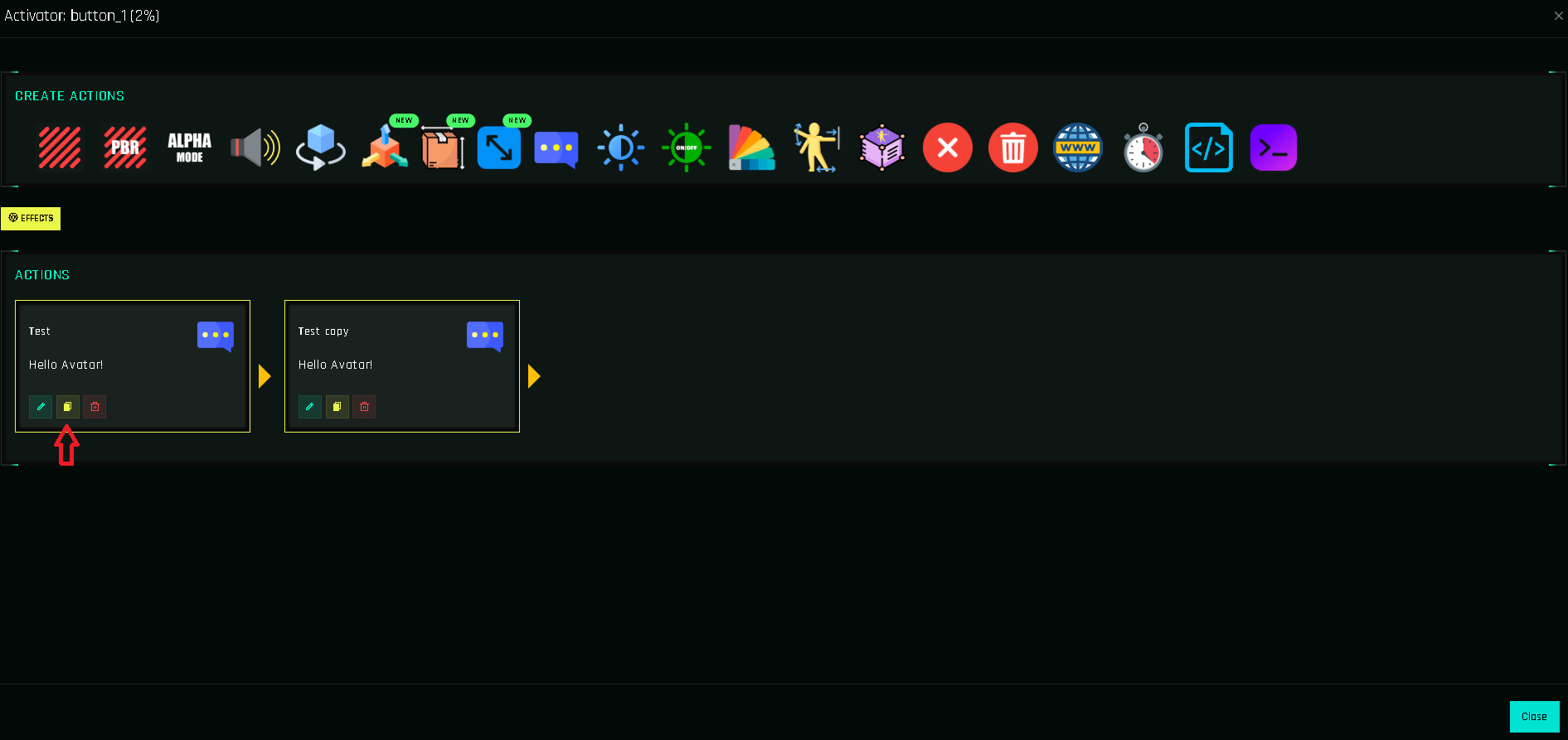
Click the yellow 📄 on the action card.
The copy is added at the end of the list. Open it with ✏️ and change what differs, or drag it into place.
New look
Use the Duplicate icon on the right of the step. Click the copy to edit it in the inspector. The New Look
Clone vs. clone function
| I want to… | Use |
|---|---|
| Repeat an action with small changes in this function | Clone an action (this page) |
| Give another button the same set of actions | Cloning Functions |
| Reuse the same sequence in many buttons | A helper function |