Creating an Action
Requirements
- A function to put it in (a button, an event or a helper).
- If the action changes another object: that target scanned.
- If the action uses a texture, sound or animation: that asset scanned.
Steps
Open the function. Click ✏️ on its card in the panel.
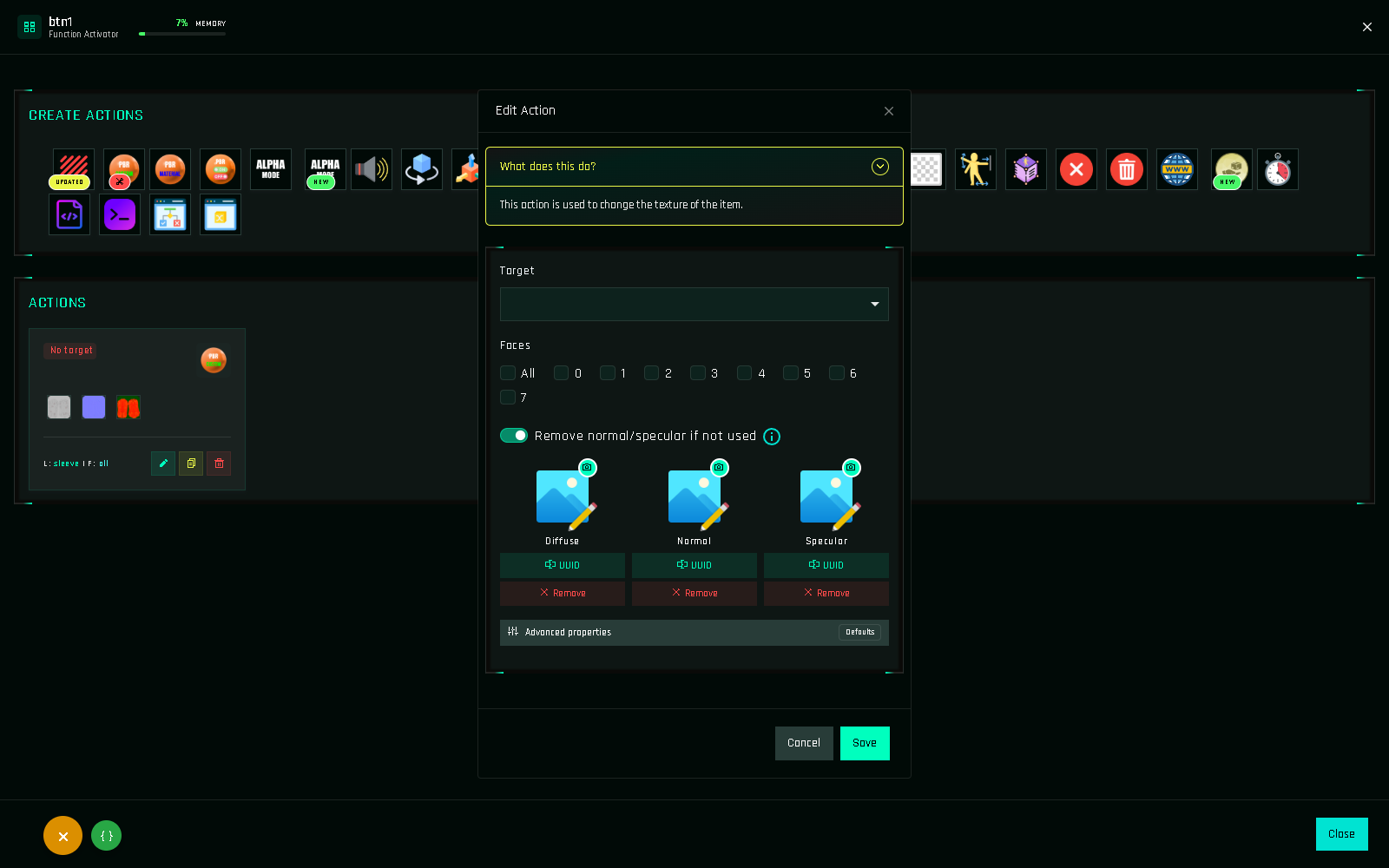
Pick an action in the Create Actions grid at the top. Hover an icon to see its name; icons with NEW or UPDATED changed recently. The form opens.
Read the one-line description at the top of the form ("What does this do?"). It says what the action changes.
Choose the target.
$THISfor the HUD itself, or a scanned target from the dropdown.Choose link names and faces, if the action asks for them.
Fill in the action's own fields. A texture, a color vector, a number of seconds, a message… Each field is described on the action's page in the Actions List.
Save. The action appears at the end of the function's list. Its card shows the target, links (
L:) and faces (F:).Add more actions the same way, then Ctrl+S and Build.
New look
Click the button in the left column: it opens in the center. Type in the Add action bar (or press /), or pick a category, and click the action. Its form opens in the inspector on the right: fill it in and press Add action at the bottom. The New Look
Reading vectors
Several fields take a vector in Second Life format: three numbers between < and >.
| Field | Example | Meaning |
|---|---|---|
| Color | <1.000, 0.000, 0.000> | Red, green, blue from 0 to 1. <1,1,1> is white, <0,0,0> black. |
| Rotation | <0, 0, 90> | Degrees around X, Y, Z. |
| Position | <0, 0, 1> | Meters along X, Y, Z. |
| Size | <0.5, 0.5, 0.5> | Meters. |
The panel accepts <1,0,0> and pads it for you. Numbers use a dot as decimal separator.
Converting a color
Second Life colors are RGB from 0 to 1. Divide a 0–255 value by 255: #FF8000 (255, 128, 0) becomes <1.000, 0.502, 0.000>. The Color Picker does this for your customers in-world.
Validation
The panel refuses to save an action with a missing required field and highlights it. Common cases: no target selected, no face ticked, an invalid vector, an empty texture slot on a texture action, or a timer under 0.1 seconds.
What if the action is PRO only?
PRO-only actions show a 💎 in the grid. On a FREE account, clicking one shows how to get PRO instead of opening the form. See FREE vs PRO.
Let Clicky do it
You can also describe what you want and let Clicky create the action for you: "add a Blinn-Phong with type1_red on the shirt to btn1".