
Bloggers PRO
Bloggers take pictures of your products and post them on Flickr, Primfeed and their blogs. With Fasty you run your blogger team right from the panel: they pick the products, post, and you review. There is no "blogger server" object to keep stocked with copies: products come straight from your hubs, like a sale.
Set up your program
Open More → Bloggers. The first time, it walks you through three steps:
Choose the products bloggers can take (tab Products). Pick them from your catalog. For a variation group, the group's demo comes along on its own.
Write your rules and the questions people answer when they apply (tab Program).
Turn the program on and share the application link (in your group, on your profile, on Discord).
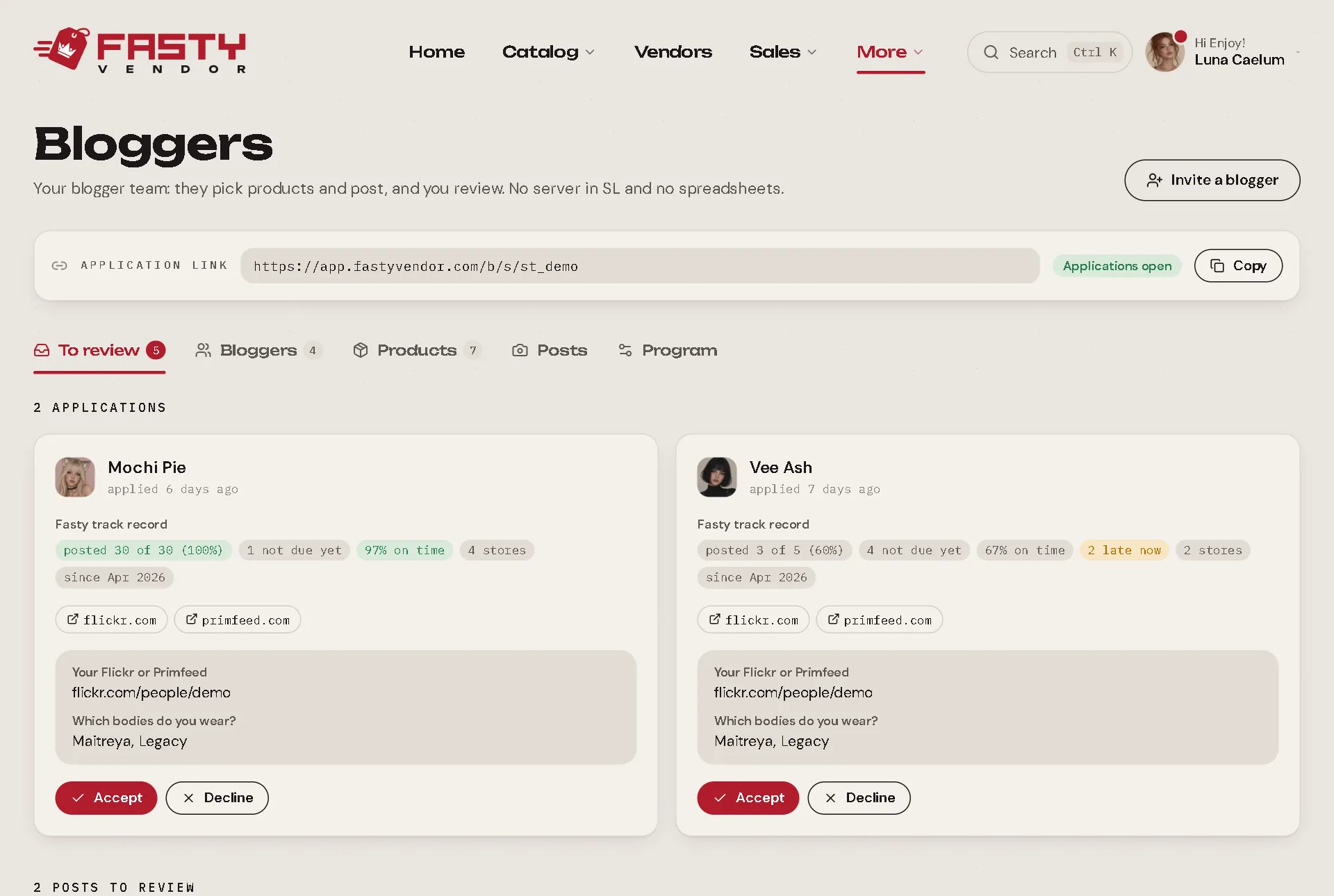
You can also invite a blogger directly by their Second Life username. They get an IM with a link to accept your rules. Tick Joins as VIP to give them no deadline and no limit.
Your program settings
| Setting | What it does | Default |
|---|---|---|
| Taking applications | Whether new bloggers can apply. | On |
| Show in the store directory | Whether your store appears to bloggers browsing stores in the blogger area. | On |
| About and rules | What bloggers read before applying. | |
| Application questions | Up to 10 questions, each required or optional. | |
| Deadline | How many days a blogger has to post after taking a product. | 14 days |
| Max products awaiting a post | How many products a blogger can hold without posting. When they post, they can take the next one. VIPs have no limit. | 3 |
| Accept posts automatically after (days) | A post you don't review in time is accepted on its own, so bloggers never wait forever. Leave it empty to always review by hand. | 7 days |
| Minimum SL account age (days) | Keeps very new alt accounts from applying. | 0 (any) |
Each product can also have its own deadline (or none), a demo, and can be marked as a gift: bloggers take it with no obligation to post.
Your daily work: To review
The To review tab gathers everything that needs you:
- Applications: read the answers and the blogger's track record, then Accept or Decline (with an optional message, sent by IM).
- Posts: open the links, then accept or decline with a comment. A declined post gives the blogger at least 3 more days.
- Deadline requests: a blogger asks for more days, with a reason. If you don't answer within 48 hours, it is granted on its own.
Fair rules, for everyone
Fasty's blogger system is built to be fair to both sides:
- The deadline stops when the blogger sends the post, not when you review it. Your review time never makes them late.
- No suspensions, no blacklists. A blogger who is late simply can't take a new product from your store until they post. As soon as they post, they can take again.
- A track record, not a punishment. For each blogger you see the facts from the last 365 days, across all stores: products taken, posted, on time, late right now. Each store decides with the numbers.
- Real vacations. A blogger can mark a vacation (up to 30 days at a time, 60 per year) and all their deadlines move together, in every store. You see that they are away.
- One post can cover several products from your store (a full look), with up to 5 links.
- No IM spam. Bloggers get at most one IM a day that sums up everything (deadlines, new products). Your decisions (application accepted, post declined) arrive right away.
Products are delivered only while the blogger is online in Second Life, so a product taken from the website with Second Life closed is never lost: the hub waits.
In Sales, blogger products appear as L$0 sales marked Blogger product. They don't count in your revenue.
For bloggers: the blogger area
Bloggers have their own area at app.fastyvendor.com/b. They sign in with their Fasty account (their Second Life username and password, see Your Account). A blogger invited or accepted by a store doesn't need an invite to create the account.
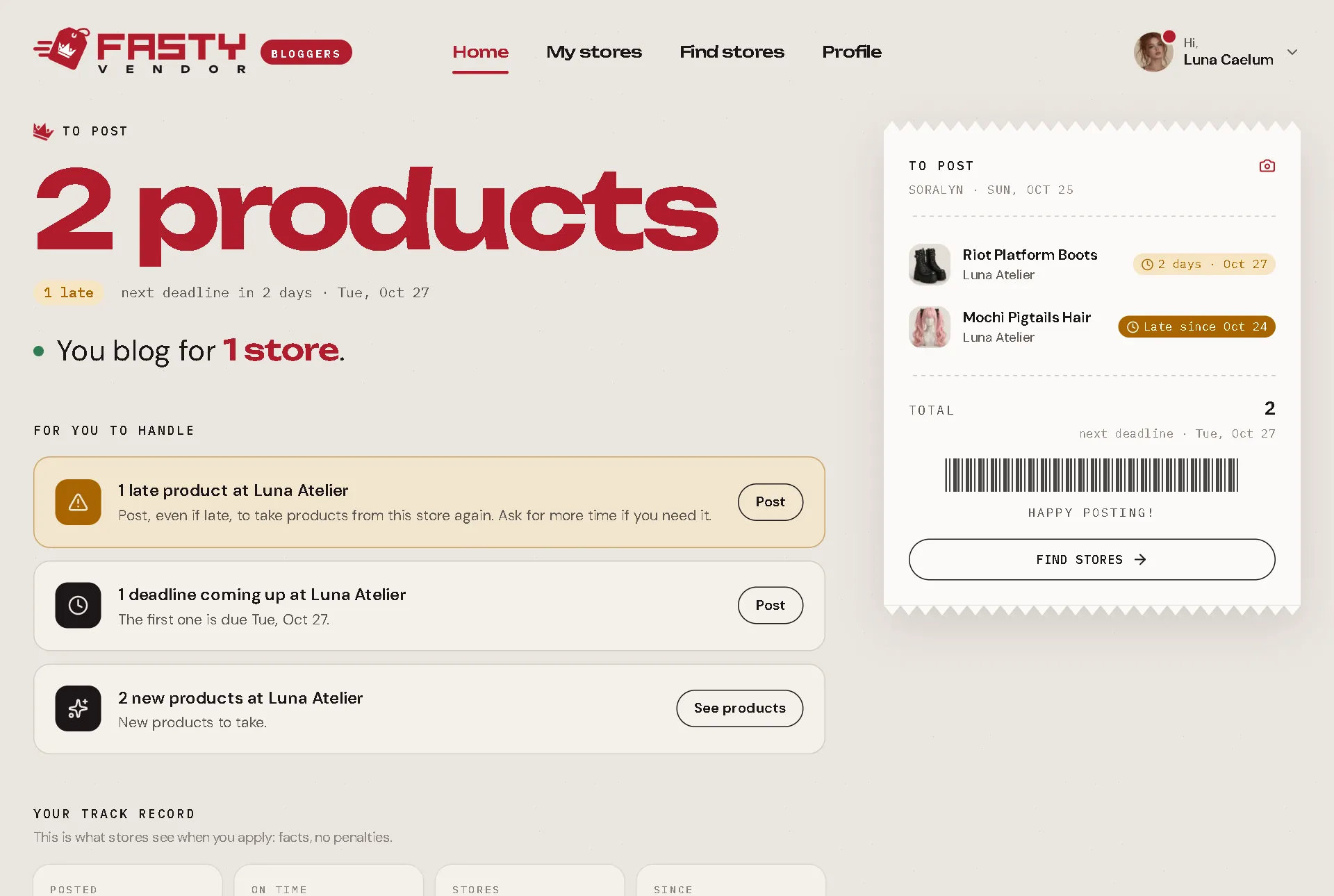
There they find:
- Home: what they still need to post, with the deadlines, and their track record.
- My stores: for each store, the products they can take, what they took, a button to send a post, and one to ask for more time.
- Find stores: stores that are open to new bloggers, with their rules and the application form.
- Profile: their name, a short bio, up to 8 links, the daily IM on or off, and their vacation.