
Marketplace Sales
Sell on the Second Life Marketplace too? Connect it to Fasty and every Marketplace sale comes into your panel right away: in Sales, in Customers, in your reports, and on the customer's purchases page. The Marketplace keeps delivering the items exactly as it always did. Fasty only listens.
Connect it
It takes three steps, all in Store settings → Marketplace.
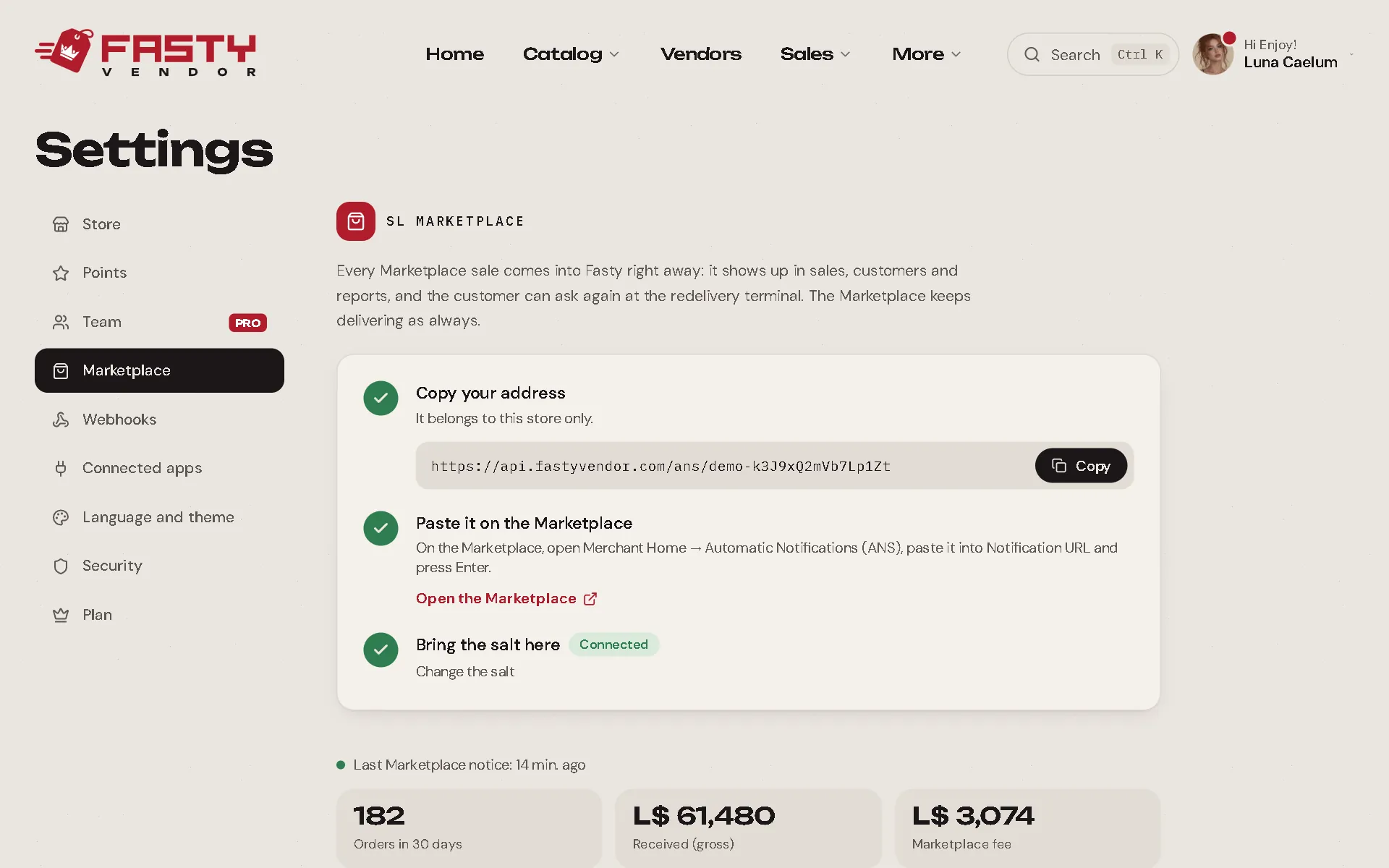
Copy your address. The panel shows an address that belongs to your store only. Press copy.
Paste it on the Marketplace. On the Marketplace, open Merchant Home → Automatic Notifications (ANS), paste it into Notification URL and press Enter.
Bring the salt here. Right below the address, the Marketplace shows the Merchant Salt (40 letters and numbers). Copy it, paste it in the panel and save. The status changes to Connected.
Check that it works
Buy a free item from your own store on the Marketplace. The notice shows up under Latest notices in a few seconds.
Listings and products
Fasty needs to know which product each Marketplace listing sells, so the sale lands on the right product.
- Linked automatically: when the item a listing delivers has the same name as an item in your hub, or the listing has the same name as one of your products.
- Listings without a product: the ones Fasty could not link are listed for you. Pick the product for each one (or choose Leave out). Its past sales join the history at once.
Everything already linked is under See all listings, where you can change a product if needed.
Options
| Option | What it does |
|---|---|
| Marketplace customers can ask for redelivery | On by default. Customers can get their Marketplace purchases again at the redelivery terminal, on the receipt and on their purchases page. Turn it off if you prefer customers to use the Marketplace's own Redeliver button. You can always resend from the panel. |
| Marketplace purchases earn points | Off by default. When on, Marketplace purchases of products that earn points give loyalty points, just like vendor sales. |
Using another system too?
The Marketplace accepts only one notification address per account. If another system (CasperVend, SmartBots…) also needs those notices, open Advanced → Forward to another system and paste its address. Fasty passes every notice on, signed with the same salt. Remember to paste the same salt into the other system as well.
Good to know
- Marketplace sales show the Marketplace fee next to the amount, and your totals use what you actually received.
- They have no vendor, so there is no profit sharing on them.
- If you ever need a fresh address, use Create a new address. The old one stops working and the salt is cleared, so paste the new address on the Marketplace and the new salt in the panel.