
Discounts
Put your store on sale: "20% off everything until Sunday". Fasty works out the new price, every vendor changes on its own, and when the sale ends the prices go back to normal. Nothing to undo.
Create a sale
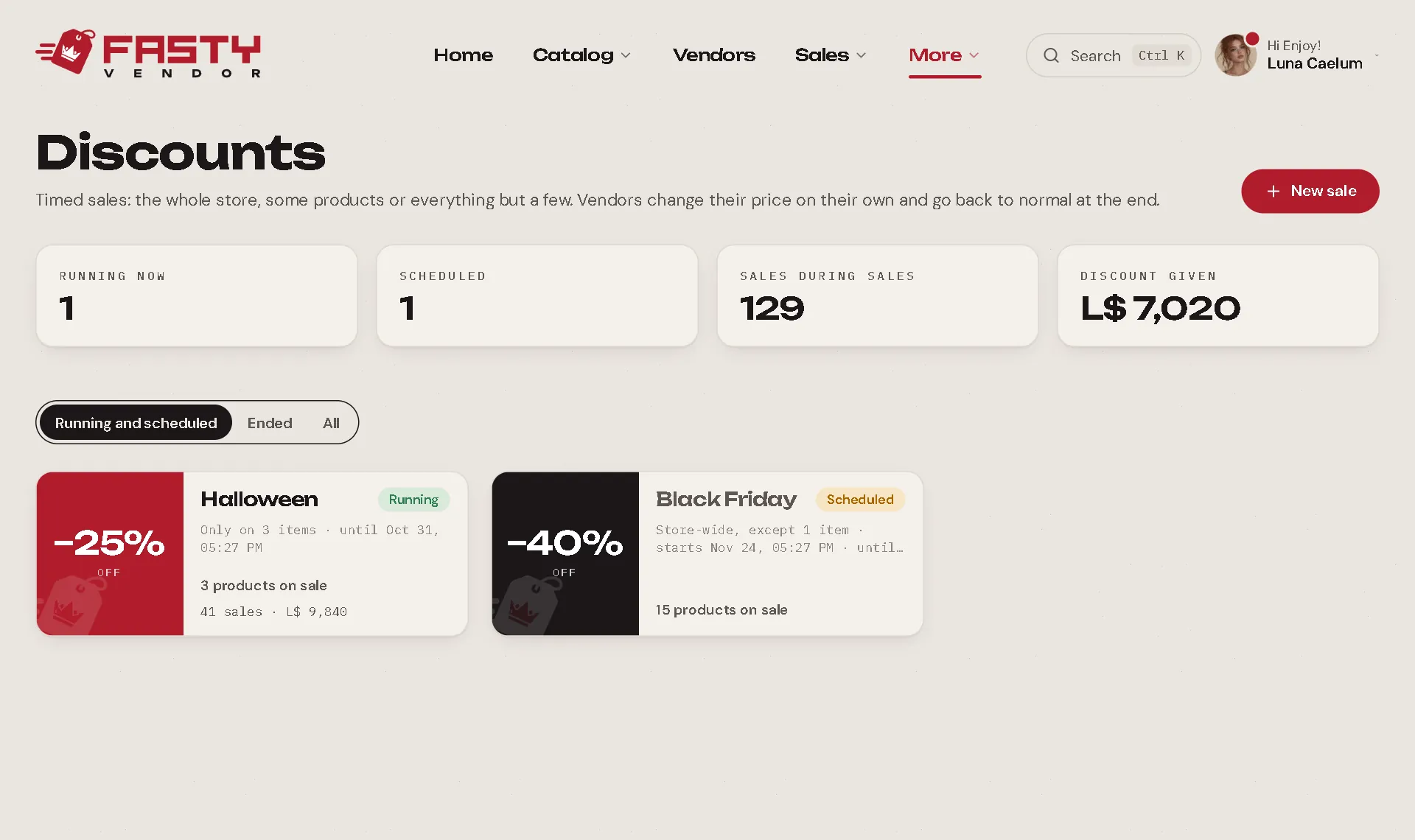
Open More → Discounts and press New sale.
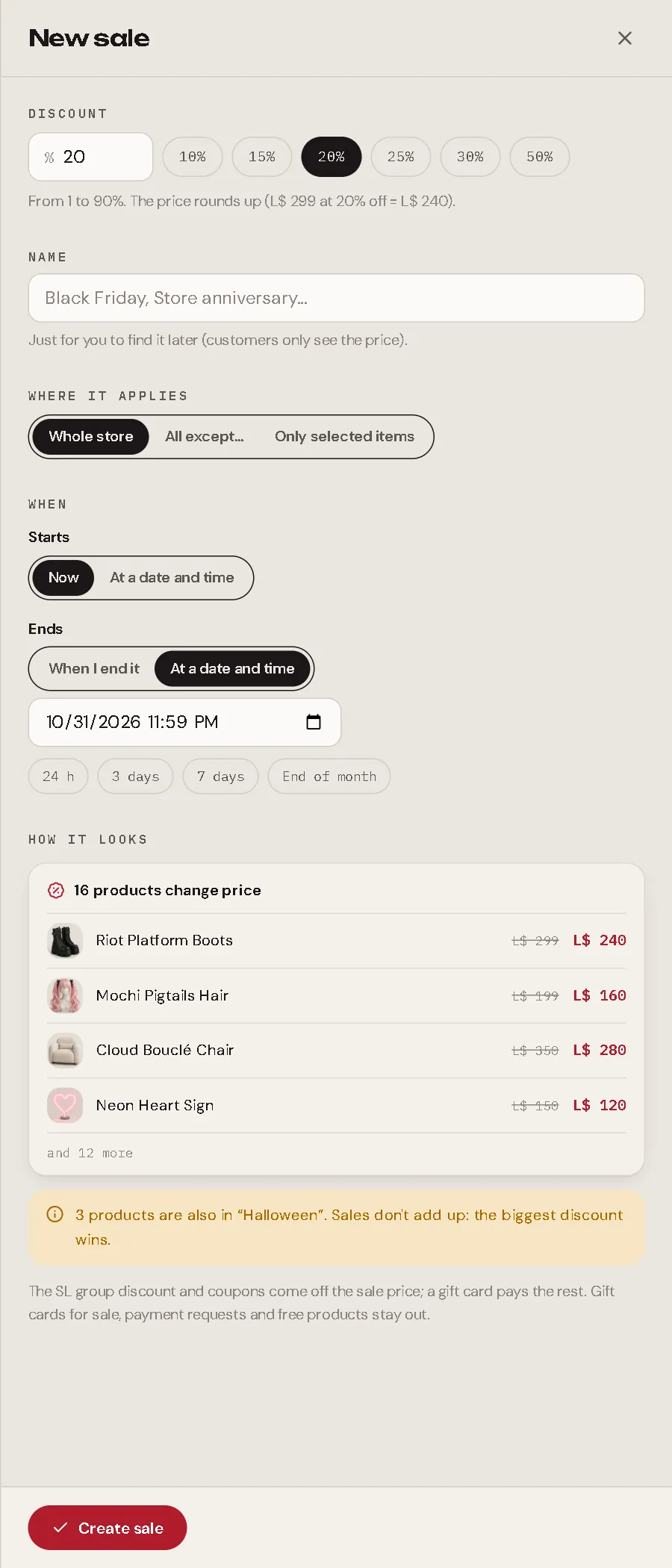
| Setting | Meaning |
|---|---|
| Discount | 1 to 90%. The price rounds up: L$ 299 at 20% off = L$ 240. A sale never makes a price lower than L$ 1. |
| Name | Only for you (Black Friday, Store anniversary). Customers only see the price. |
| Where it applies | Whole store, All except… (tick what stays out) or Only selected items (tick what's in). Ticking a group covers all its variations, including the ones you add later. |
| Starts | Now, or at a date and time. |
| Ends | When I end it, or at a date and time. Shortcuts: 24 h, 3 days, 7 days, end of month. |
Before saving, How it looks shows how many products change price and a few examples (L$ 299 → L$ 240).
What happens on the vendors
- The moment the sale starts, the vendors that show those products get the new price, usually within seconds. Pay shows the sale price.
- When it ends (on the date, or when you press End now), they go back to the normal price the same way.
- You never touch a vendor, and your normal prices are never overwritten: change a price during a sale and the sale price follows it.
- New products that arrive in a hub during a Whole store sale are on sale too.
A vendor on land without free script URLs catches up on its next check-in (up to ~15 minutes). Someone who pays the old price in the first 30 minutes after a start or an end is fine: the sale is recorded with the price they saw.
Two sales on the same product
Sales don't add up. If a product is in two sales at the same time, the biggest discount wins. The panel warns you when a new sale overlaps one you already have.
With the other discounts
During a sale, the sale price simply is the product's price:
- The SL group discount comes off the sale price (L$ 100, 20% sale, 10% group → L$ 72 for group members).
- Coupons come off the sale price too (the minimum purchase compares with it).
- A gift card pays what's left.
- Points and profit shares count the L$ that came in, as always.
Gift cards for sale, payment requests and free products are never on sale.
Following a sale
Each sale card shows its state (Running, Scheduled, Ended), how many products it covers, and the sales made with it. Open it to see the sales, L$ received and the discount given, change it, End now or Delete it (sales made with it keep the discount on record).
In Sales, a sale shows "Black Friday −L$ 59" under the payment, and the product page shows the sale price under the normal one.