
Payment Requests PRO
Sell something that isn't an item: a party ticket, a monthly club fee, a registration, a commissioned service. A payment request goes on a regular vendor like a product, and every payment is a normal sale in your panel, filed under the round it belongs to.
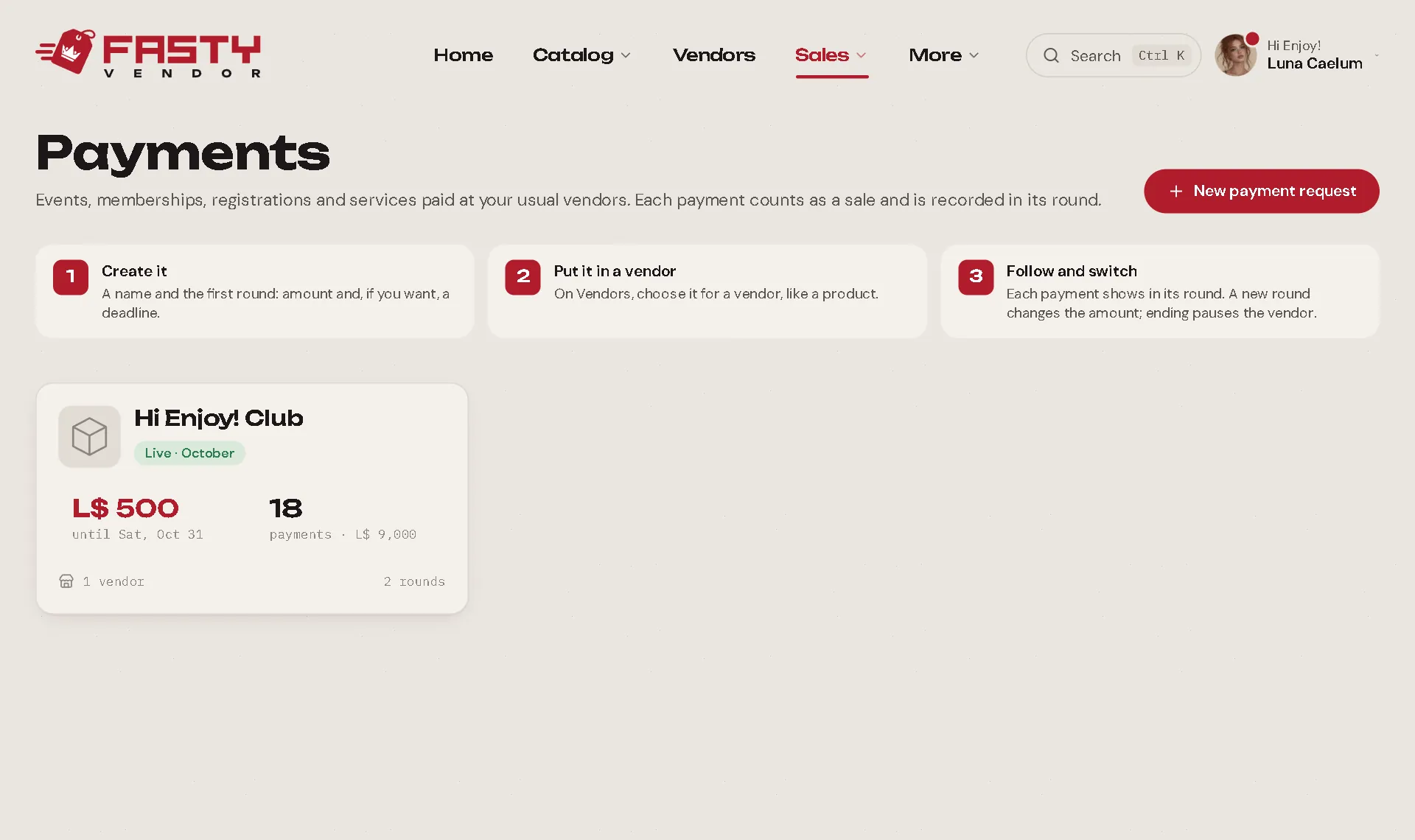
Create one
Open Sales → Payments and press New payment request.
Name it (Creators club, Saturday party). The description is only for you.
Create the first round: a name (October, Batch 1), the amount and, if you want, a deadline. Tick Make it live now to start taking payments right away.
Put it on a vendor. On Vendors, open a vendor and choose the payment request in its product list (it shows up next to your products). Any vendor works.
The vendor shows it as "Creators club · October" with the amount of the live round. Nothing to install: it's the same Fasty Vendor script.
Rounds
A payment request has rounds, and one is live at a time.
- New round: a new amount, a new deadline. Make it live now ends the round that was live; the vendor switches price within seconds.
- Deadline: when it passes, the round ends on its own and the vendor stops taking payments.
- End round: stop taking payments now, without starting another.
- Edit: change a round's name, amount or deadline. Changing the amount of the live round changes the vendor's price right away.
- Finish: closes the whole payment request (the live round ends, vendors stop). Reopen brings it back.
With no live round, the vendor doesn't sell, and anyone who pays anyway gets the L$ back on the spot.
Who paid
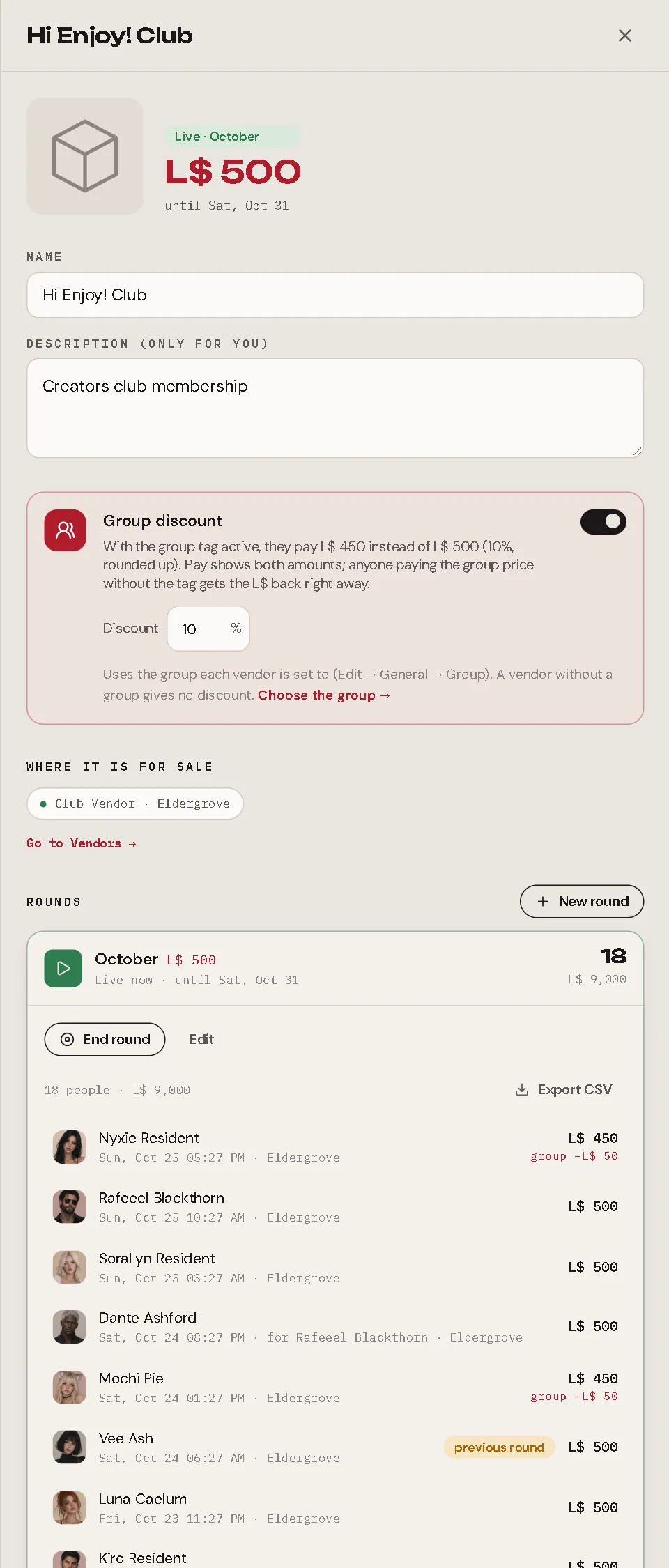
Open a round to see every payment: who paid, who it was for (a gift), the amount, the group discount and the land. Export CSV downloads the list.
A payment is never lost, even when it doesn't fit perfectly. The list marks it so you can decide:
| Mark | What happened |
|---|---|
| previous round | It came in up to 30 minutes after you switched rounds, with the old amount (the customer's Pay window was still open). It counts for the round they paid for. |
| different amount | The amount matches no round. It goes to the live round. |
| outside a round | It arrived when no round was live (the vendor hadn't heard yet). It goes to the last round. |
If you need to give money back, use Send L$.
Rules worth knowing
- Payments are paid in L$ only: no gift cards, no coupons, and they don't earn loyalty points.
- The SL group discount works here too.
- Each payment is a normal sale: it shows in Sales (with a Payment request badge), in reports and in Discord alerts, and the customer gets a receipt.
- There is no item to deliver, so a payment is complete the moment it's paid. Redeliver doesn't apply; Refund works like on any sale.
Fasty Pro
Creating and changing payment requests and rounds needs Fasty Pro. If a yearly plan ends, what is live keeps taking payments, and you can still end a round or finish a payment request. Starting a round again, creating a new round or reopening waits until you renew.