
Vendors
A vendor is the board your customers pay. Each vendor sells one product. It doesn't hold the product (the hub does), so you can put as many vendors as you like around the grid.
The Vendors screen
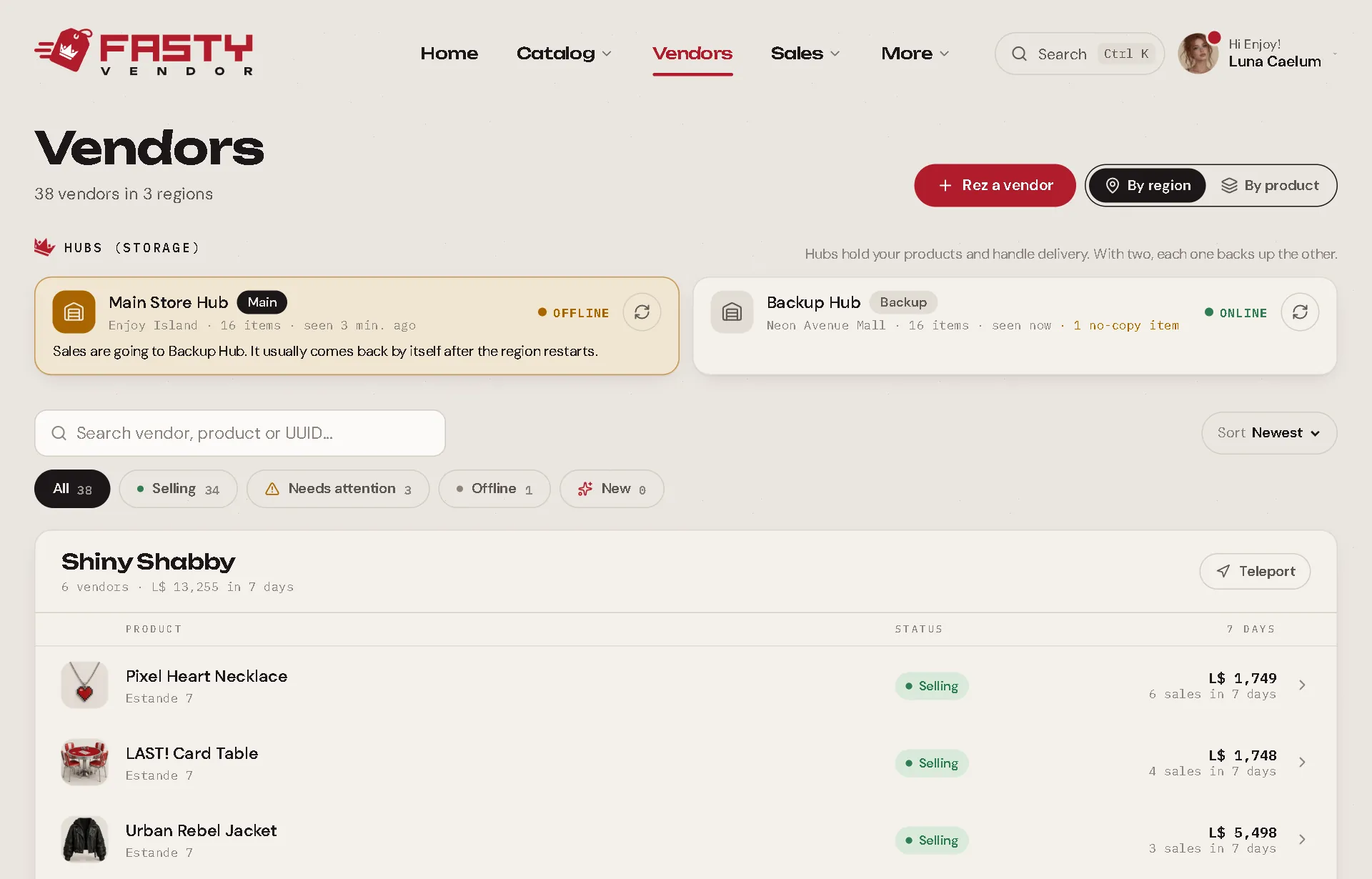
- Hubs (storage) at the top: their status, last seen, item count and a Test now button.
- Filters: All, Selling, Needs attention, Offline and New. Sort by Most sales, Attention first or Name, and search by vendor, product or UUID.
- By region: each region with a small map (256 × 256 m) showing where each vendor stands, the vendor list, sales in the last 7 days and a Teleport button.
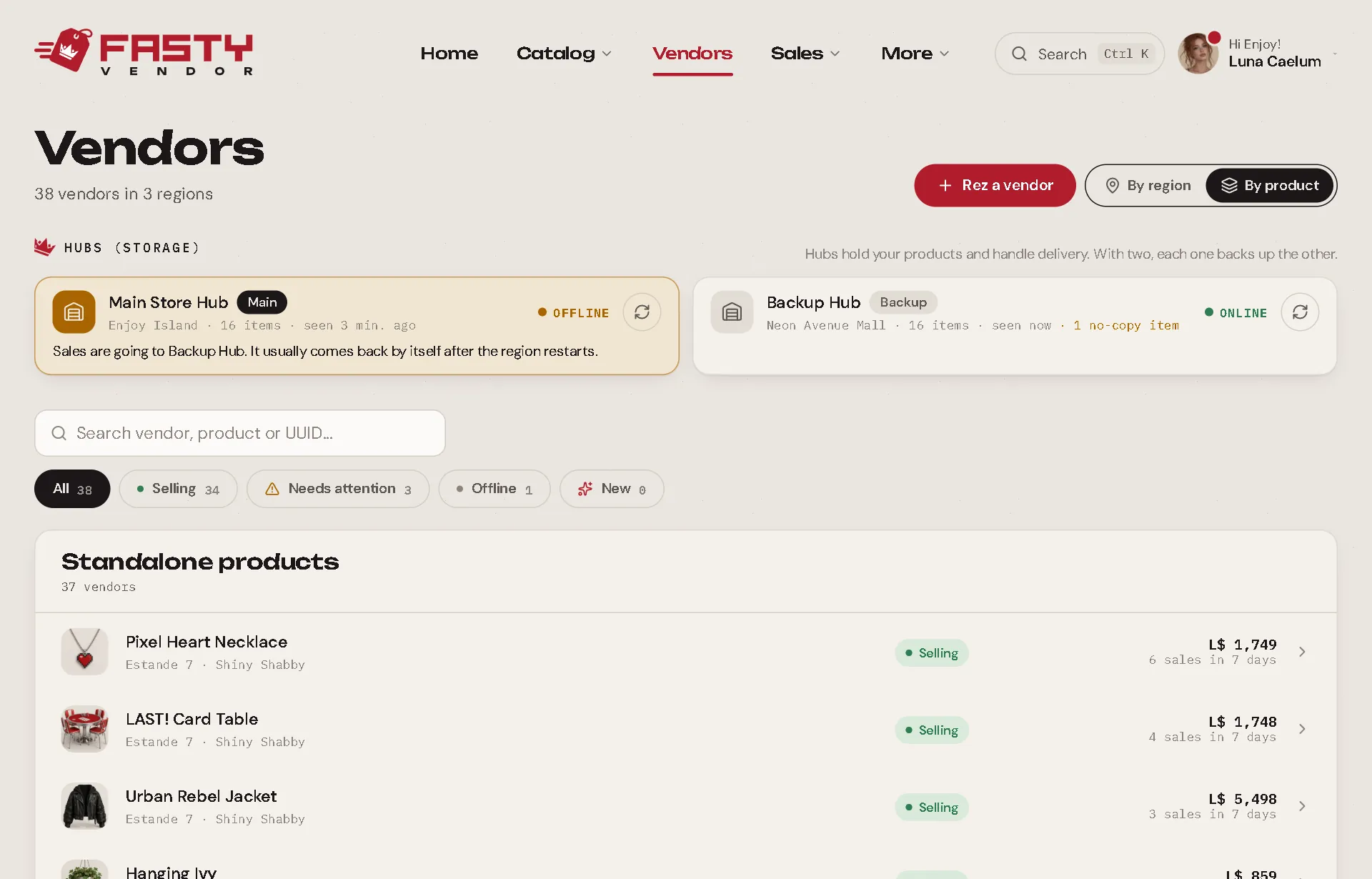
- By product: vendors grouped by product and variation group, with the coverage (which variations have no vendor yet) and a Preferred hub for all shortcut.
The vendor sheet
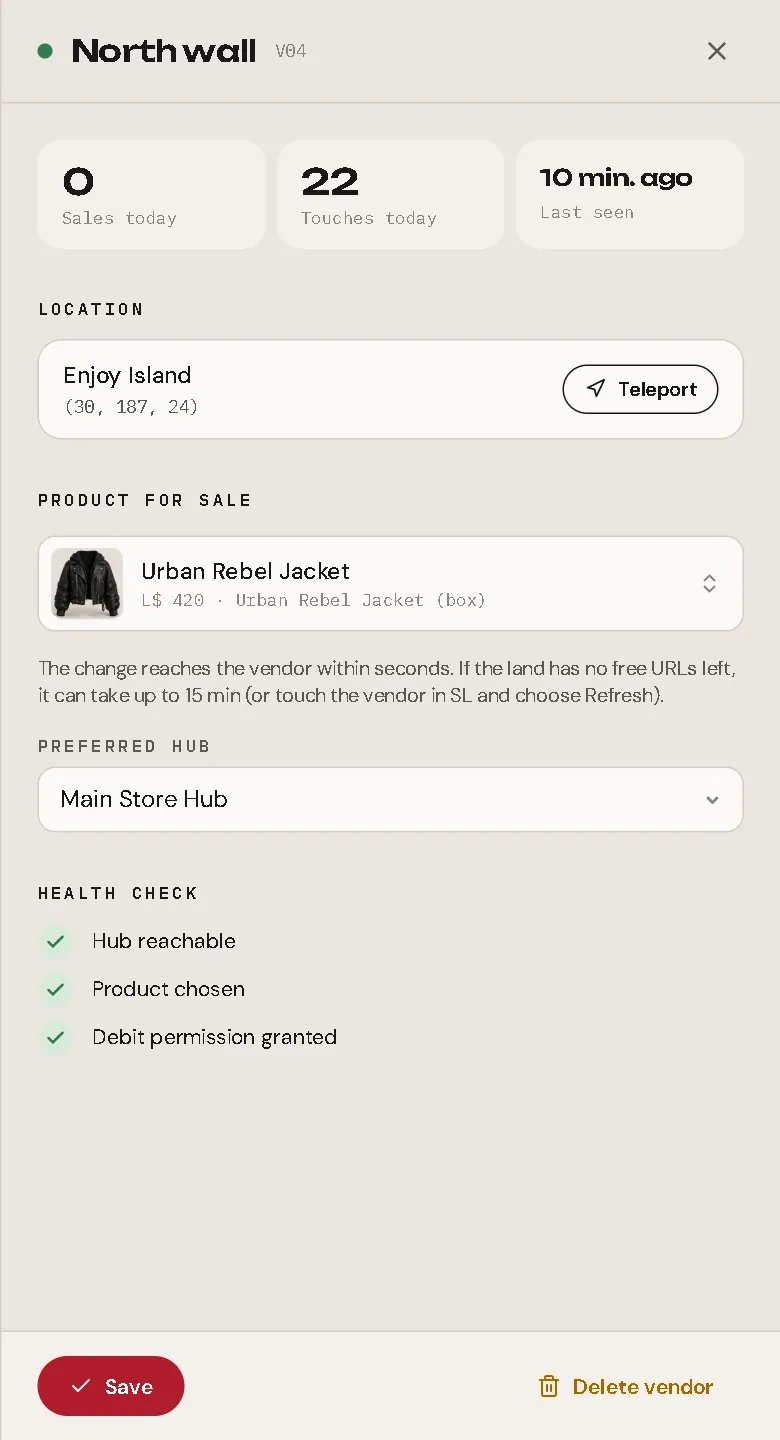
Click a vendor to open its sheet.
| Part | What it does |
|---|---|
| Numbers | Touches today, sales today, last seen. |
| Location | Region and position, with Teleport. |
| Product for sale | Choose what this vendor sells (a product, or a payment request). The change reaches the vendor in seconds. A product without a price can only be chosen once it has one, or once it's marked as free. |
| Preferred hub | Which hub delivers this vendor's sales first (the others still cover for it). |
| Health check | Hub reachable · product chosen · debit permission granted. Anything wrong shows up here in red. |
| Delete vendor | Removes it from the panel. See Deleting vendors. |
How fast do changes arrive?
Normally in about a second. If a vendor doesn't answer right away (a busy region), Fasty keeps nudging it for a few minutes until it picks up the change. If the land has no free URLs for the vendor (Second Life limits them per region), the vendor checks in every 15 minutes instead. Touching the vendor and choosing Refresh makes it fetch the product right away.
New vendors
When vendors pair, the screen tells you what happened to them, for example: "4 new vendors · 1 set up by name · 1 got the product from the vendor they were copied from · 1 looks like part of a group: pick the variant · 1 with no product". New vendors keep a NEW badge for 24 hours, and the New filter shows just them.
Warnings next to a vendor
| Warning | What to do |
|---|---|
| No product: pick one | The vendor does not take payments yet. Choose a product on its sheet. |
| No preferred hub | It still sells through your main hub. Pick a preferred hub if you want. |
Purchase confirmation
Want to know about every sale while you're in-world? Turn on Settings → Store → Purchase confirmation by IM (it starts on). On each purchase, the vendor sends you an IM:
Fasty: AnaLuz bought Minotaur Horn · Black for L$250 in Hi Enjoy.
It also says when the buyer used a gift card or a coupon, and who a gift was for. Gacha machines send one too, with the prize: "AnaLuz played Neon Dreams for L$50 and won Neon Heart Sign in Hi Enjoy." The IM arrives as Fasty Vendor (or Fasty Gacha), and lands in your email when you're offline, if your Second Life settings send IMs there.
- In the rare case a sale goes straight to the hub because Fasty's server is unreachable, there is no IM for it. The sale is still recorded and delivered, and shows up in Sales.
Deleting vendors
Done with a vendor in-world? Open its sheet and press Delete vendor. Only do it after you've picked it up (or right before):
- It disappears from the panel and forgets which product it was selling.
- The sales it already made stay in your history.
- If it is still rezzed in Second Life, it restarts and comes back as a new vendor with no product.
- Profit split payments it still owed stay in Sales for you to pay manually.
When vendors haven't responded for 7 days or more, the screen shows a banner: "3 vendors haven't responded in 7 days or more." Review and clean lists them so you can tick the ones you no longer use and delete them together.
Learn more
Setting Up a Vendor The script, debit permission, the display prim, setup by name, the touch menu and free products.
Hubs Where your items live, and who delivers every sale.