
Sending L$
Pay a blogger, send a prize, give a refund: you can send L$ to anyone straight from the panel, without logging in to Second Life. The money leaves your Second Life account, through one of your vendors that is online.
Before you start
- Only the store owner can send L$. People on your team don't see the option.
- You need at least one vendor online, with its debit permission allowed.
- You choose a sending PIN the first time (see below).
Send
Click your picture in the top corner and choose Send L$.
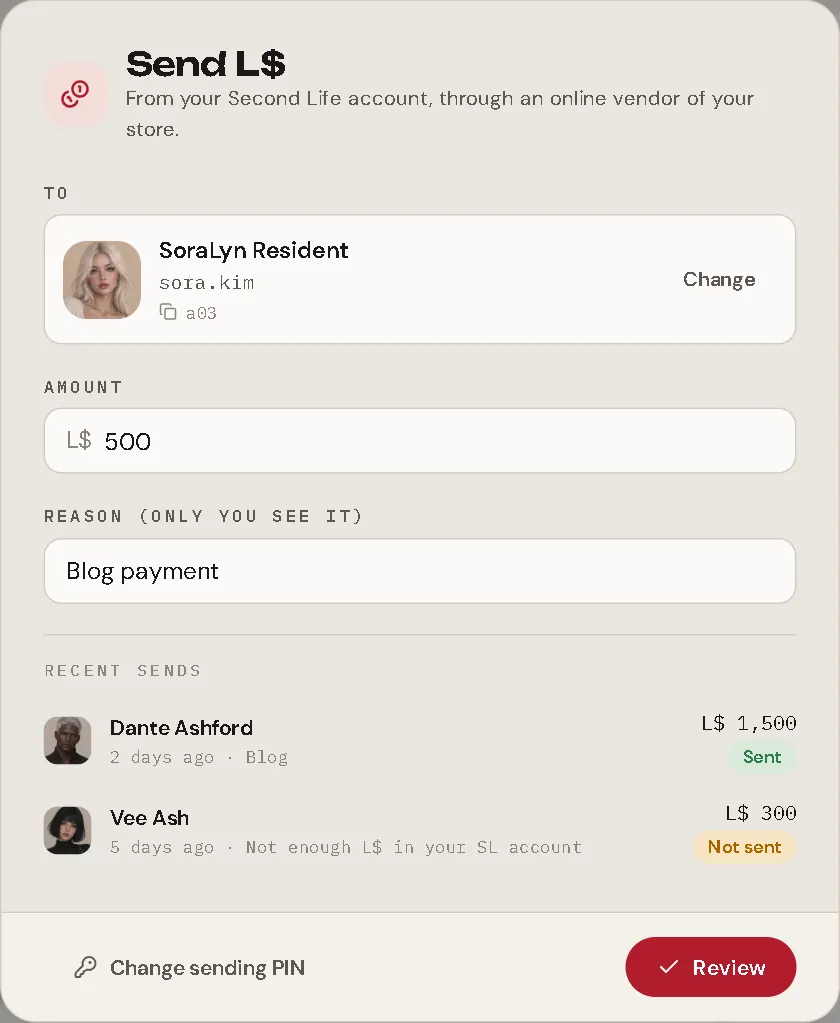
To: type the person's Second Life username and press Find. Their picture and name appear, so you can check it is the right person.
Amount: how many L$ to send.
Reason (optional): a note for you, like
Blog payment. Only you see it.Review, then type your sending PIN and press Send L$.
The panel shows Waiting for SL to confirm… for a moment, then Sent. You also get an IM in Second Life for every send, and the list of Recent sends keeps them all.
Sending L$ cannot be undone
Check the username and the amount before you send. Once Second Life moves the money, Fasty cannot bring it back.
Your sending PIN
Every send asks for a 4-digit sending PIN. It is only for sending L$ and is not your account password.
The first time, the panel offers to create it. Press Send the code in SL.
You get a 6-digit code by IM in Second Life. It is valid for 10 minutes. Type it in the panel.
Choose your PIN (4 digits, typed twice). Four equal digits or a sequence like
1234are not accepted.
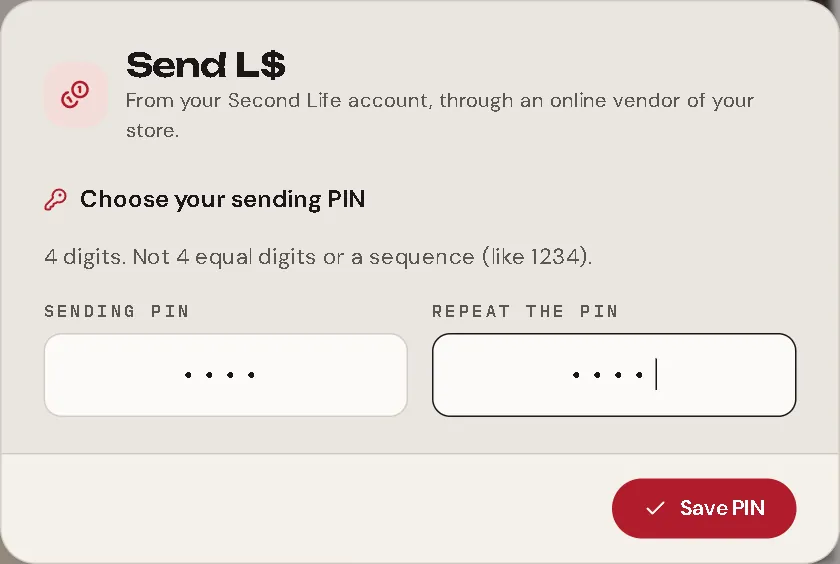
To change it later, choose Change sending PIN in the same window. It works the same way, with a new code by IM.
Never share the code or the PIN
Fasty never asks for your code or your PIN, not by IM, not in a group, not anywhere. Anyone who asks for them is trying to take your L$.
After 5 wrong PINs in a row, the PIN is blocked and you get an IM about it. To unblock it, choose a new PIN with a new code from Second Life.
What each status means
| Status | What it means |
|---|---|
| Sending | Your vendor received the order and is asking Second Life to move the money. |
| Sent | Done. The person has the L$. |
| Not sent | Second Life refused it (for example, not enough L$ in your account). Nothing left your account. |
| Not confirmed | The vendor did not answer in time. Check your transaction history in Second Life before you send again, so you don't pay twice. |
Fasty never sends the same order twice on its own. If something is unclear, it tells you and waits for you.
Limits
- From L$1 up to L$1,000,000 per send.
- Up to 20 sends per hour.