
Profit Sharing BASIC
Made a product with a partner? Fasty can pay them their share of every sale, automatically. Free on every plan.
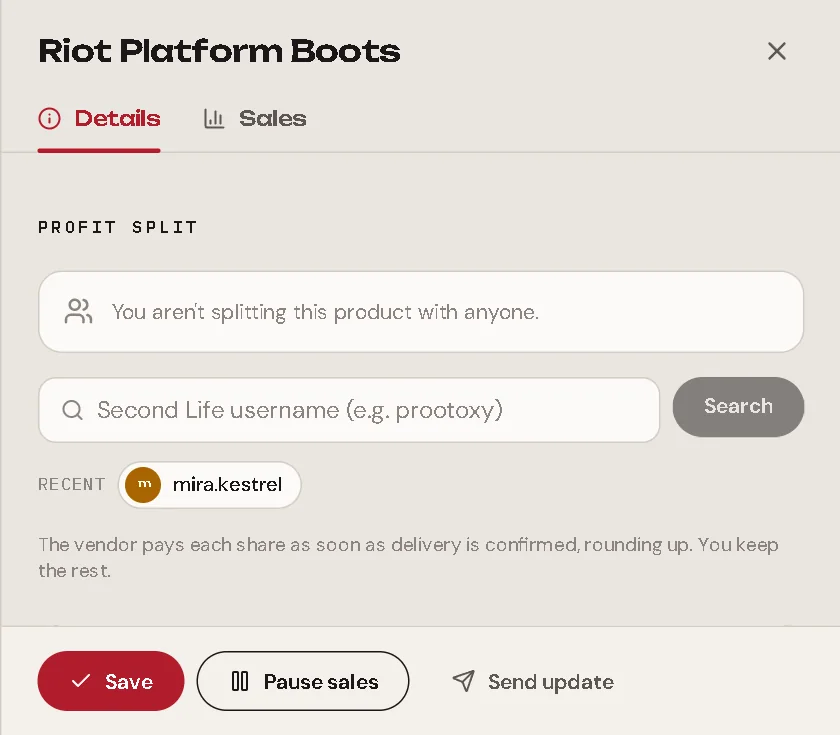
Set up a split
Open the product (or its group) and find Revenue split.
Type the partner's Second Life username (for example
prootoxy) and press Search. Fasty finds the avatar and asks Is this the person? with their picture. Press Add. You can also paste their UUID or profile link.Set their percentage. Up to 5 people, with up to 2 decimals. The panel shows what you keep: "You keep 70% · L$ 70 per sale".
Save.
People you added before show up under Recent: one click adds them again.
Fasty checks the username for real
A similar name never passes: Fasty confirms on the person's Second Life profile that the username is exactly the one you typed. No paying the wrong "randall".
Group or product?
- On a group: the split applies to every item in it.
- On a product: press Customize for this item to give one item its own split. Back to the group split undoes it.
- An item leaving a group takes a copy of the split it followed, so nobody loses their share by accident.
When the money moves
The vendor pays, with its debit permission, and only at the right moment:
At the sale, Fasty freezes who gets how much: a percentage of what the customer paid, rounded up, and never more than the sale.
After the item is delivered, the vendor pays each share. Usually 10 to 20 seconds after the sale.
If a payment fails (for example, your account is out of L$), the vendor tries again later, up to 3 times. After that the share shows Failed.
A sale refunded before delivery cancels its shares.
Follow every payment
Open a sale in Sales. Under Revenue split, each person has a status:
| Status | Meaning |
|---|---|
| Waiting for delivery | Shares are paid only after the item arrives. |
| Paying… | The vendor is sending it. |
| Paid | Done. |
| Failed | It could not pay after 3 tries. Pay it yourself and press Mark as paid. |
| Cancelled | The sale was refunded. |
Mark as paid tells the vendor to stop trying (for example, you paid outside) and keeps a record of who marked it.
The sale also shows Store received: what you kept after the shares.
Good to know
- You (the store owner) can't be in the list: you already keep the rest.
- The total can't go over 100%.
- Gacha collections have their own split. See Collections & Chances.