
The Buyer's Receipt
After every purchase, the vendor sends the customer a receipt link in chat. It is a page just for them: no login, nothing to install.
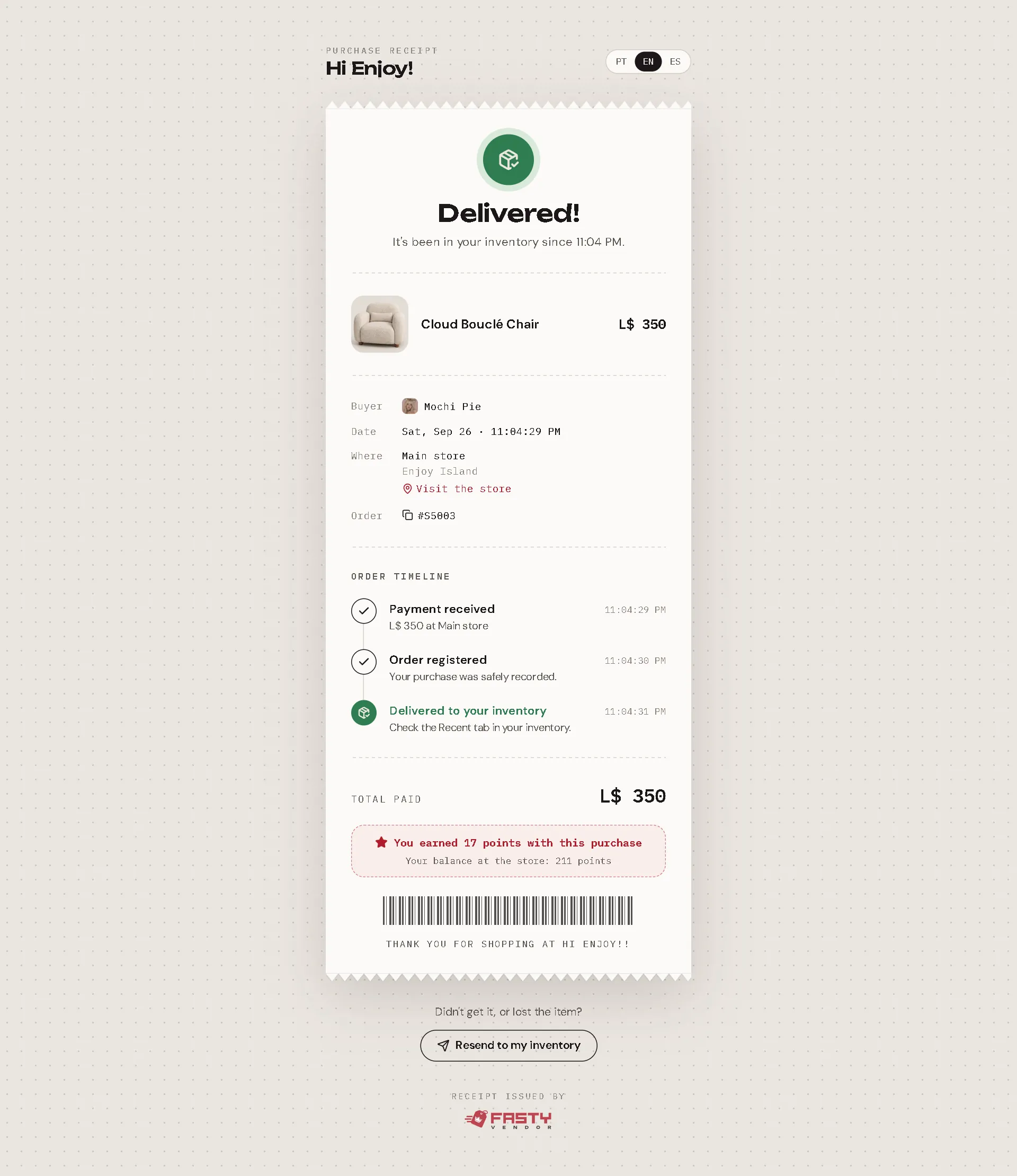
What the customer sees
- The state in big letters: Delivered!, On its way, Delivery delayed or Refunded.
- The product, its image and the price.
- Buyer, date, where they bought it (with a link to visit your store on the map) and the order number.
- The purchase journey, live: Payment received → Order registered → Sent for delivery → Delivered to your inventory. If Second Life was slow, they see Trying again; for a gift to someone offline, Waiting to be online.
- The total paid, with lines for a sale, the group discount, a coupon or a gift card when they applied, and the points they earned.
- For a gacha play: the collection, the rarity and a link to See the draw proof.
It only shows what matters to the customer. Hubs, profit splits, what you received and UUIDs stay private.
It updates by itself
If the sale has not reached the server yet (for example the server was down and the hub delivered on its own), the page says "We got your payment" and updates by itself every few seconds until the receipt is ready.
Resend to my inventory
At the bottom: "Didn't get it, or lost the item?" → Resend to my inventory. Fasty delivers it again to whoever received it (the buyer, or the gift recipient). Customers solve the most common support question on their own.
To avoid abuse, a receipt can resend once every 10 minutes, and a refunded sale can't resend.
Private by design
The link contains a long random ID created by the vendor at the moment of the sale. Nobody can guess it, and search engines don't index receipt pages.
Your support line
When a customer writes to you about a purchase, ask for the receipt link (or find the sale in Sales by their name). The delivery path tells you exactly what happened.