
Limited Quantity
Selling a limited edition? Tell Fasty how many units you have. Every sale takes one, the vendor can show how many are left, and when they run out every vendor stops selling on its own. You never have to pause anything or refund anyone by hand.
On a product
Open the product and switch on Limited quantity. Type how many are for sale and press Enter. Counting starts from zero at that moment.
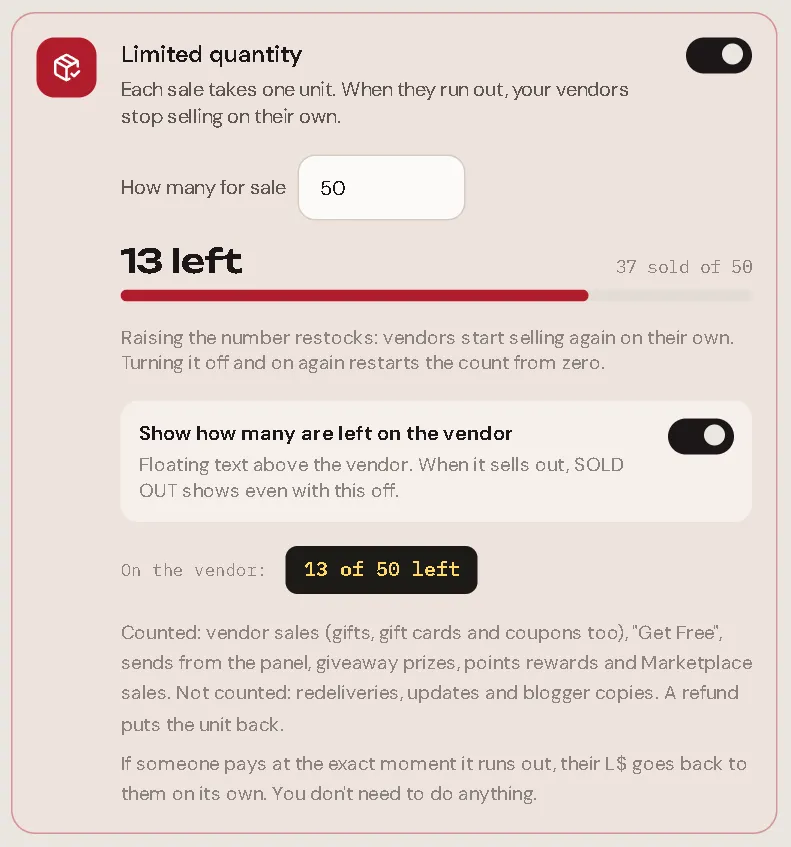
- Restock: raise the number. Vendors start selling again in about a second.
- Start over: turn it off and on again. The count goes back to zero.
- Lower than what already sold: the product is sold out right away.
Show how many are left
With Show how many are left on the vendor on, the vendor shows floating text above it, like 13 of 50 left, and the number updates after every sale. The vendor menu shows the same line.
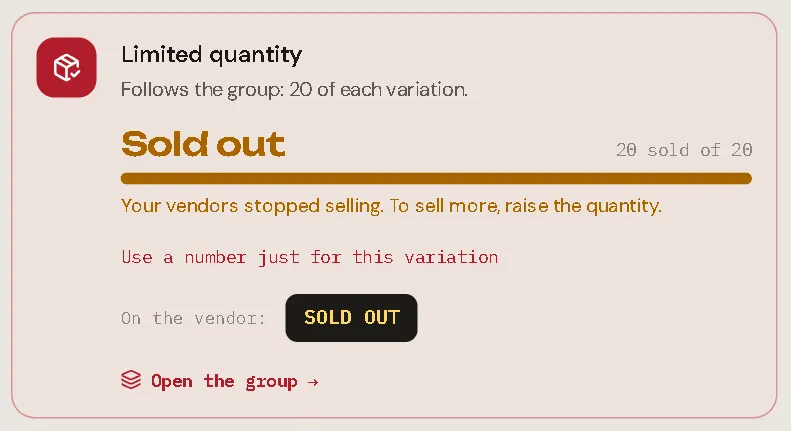
When the product sells out, the vendor shows SOLD OUT, even if this option is off, so customers know why they can't buy.
On a variation group
Open the group and switch on Limited quantity, then choose how to count:
| Each variation has its own | The whole group shares | |
|---|---|---|
| Example | 50 of each colour | 100 in total, any colour |
| When it runs out | Only that variation stops | Every variation stops together |
| The number you type | How many of each variation | How many in total |
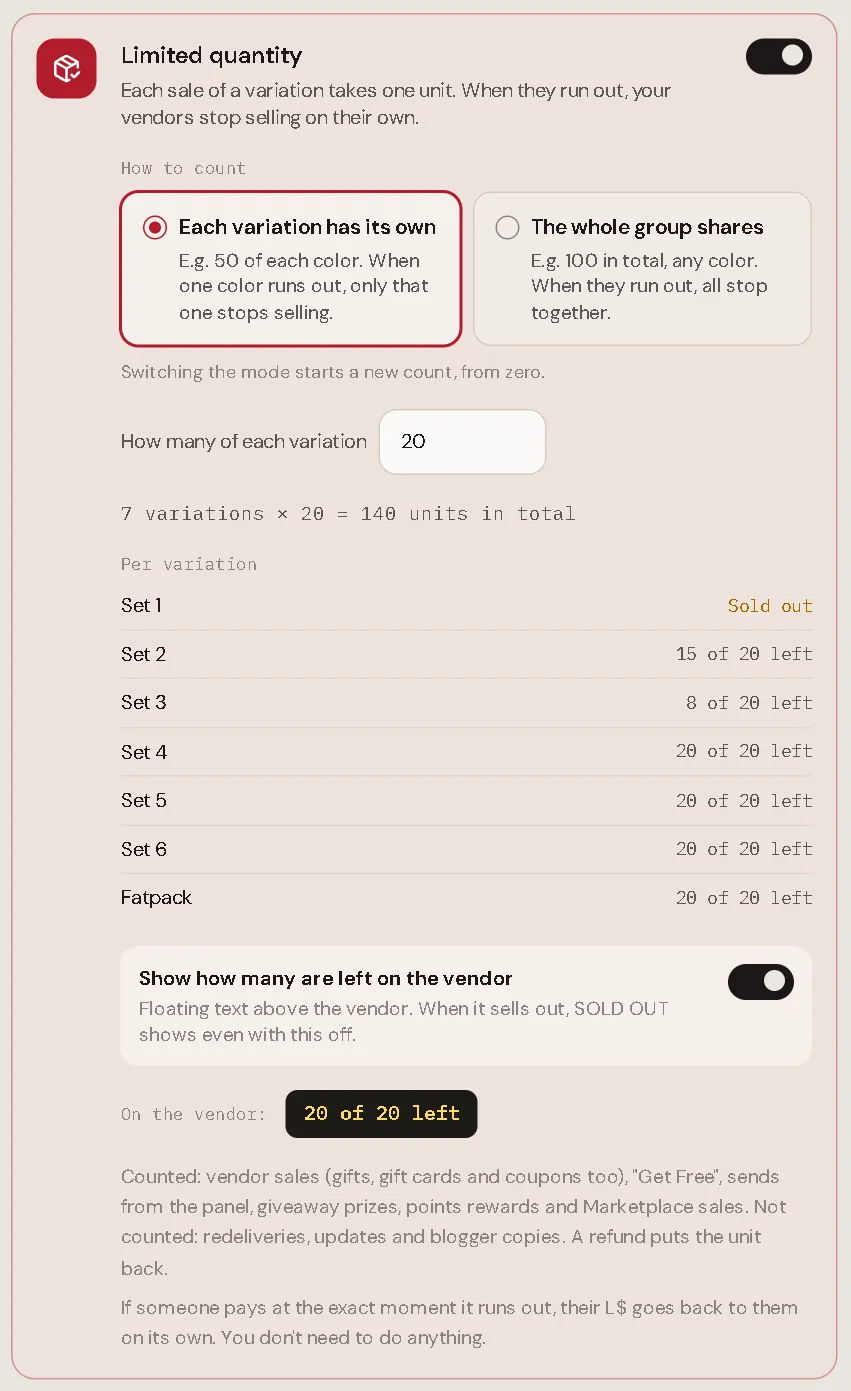
The group shows how many are left (or how many sold) for every variation, so you can see which colour sells best.
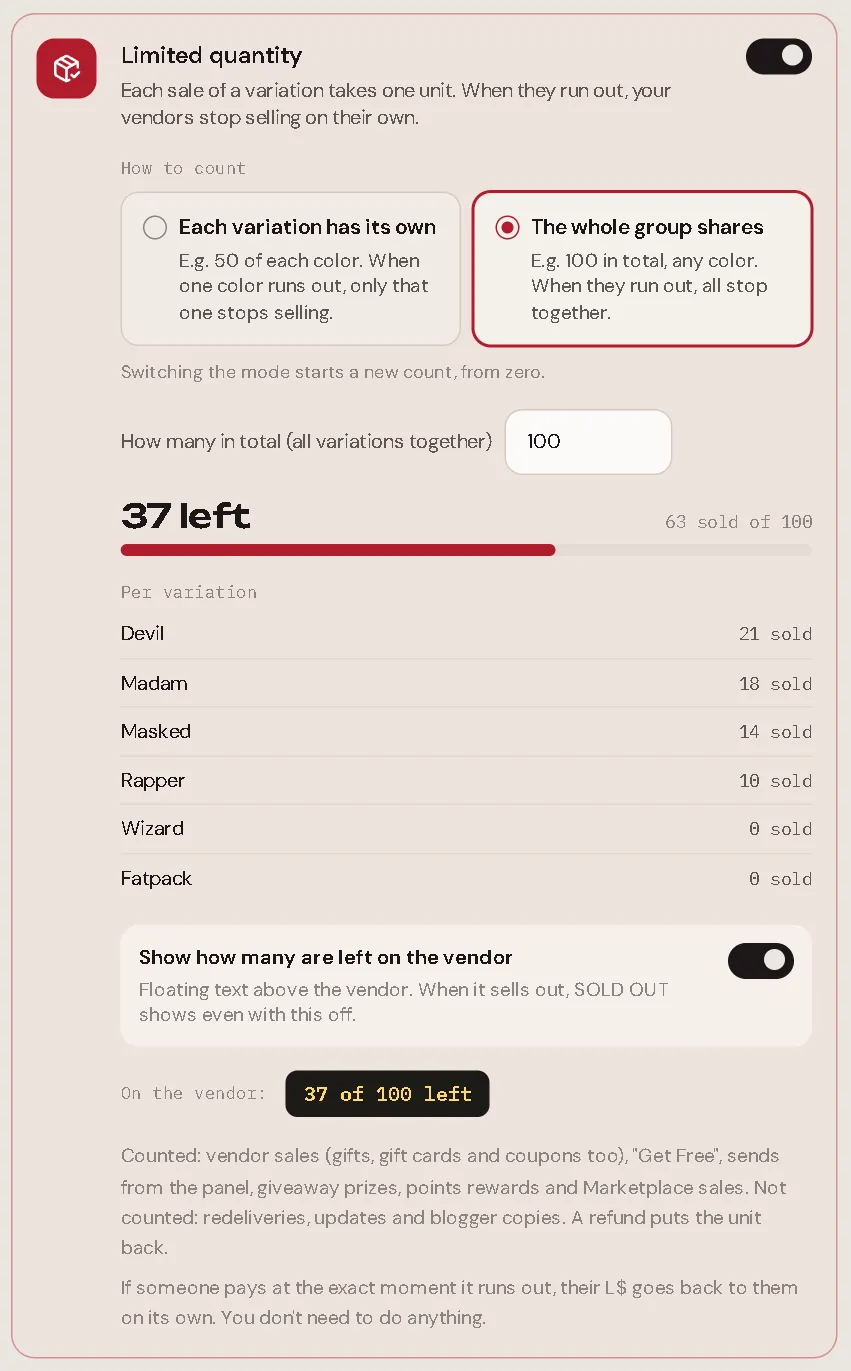
A few details:
- One variation with its own number. With Each variation has its own, open a variation and choose Use a number just for this variation. Back to the group's follows the group again.
- The fatpack counts as one unit. With The whole group shares, it comes out of the same stock.
- The demo is never limited by the group.
- Switching the mode starts a new count from zero.
What counts
| Counts | Doesn't count |
|---|---|
| Vendor sales, including gifts, gift cards and coupons | Redeliveries |
| Get Free on free products | Product updates |
| Send to someone from the panel | Blogger copies |
| Giveaway prizes and points rewards | Gacha plays |
| Marketplace sales |
A refund puts the unit back.
What you give yourself (a send from the panel, a giveaway prize) and Marketplace sales always go through, even past the limit: the count just stays at zero left. What a customer asks for without paying L$ (Get Free, a purchase covered entirely by a gift card or coupon, a points reward) is turned down with "Sorry, this item is sold out."
Someone paid at the exact moment it ran out
Second Life takes the L$ before Fasty can say no, so two people can pay for the last unit in the same second. The first payment to reach Fasty gets it. The other one is refunded automatically, by the same vendor, and the customer hears:
Sorry, Riot Platform Boots sold out just before your payment. Your L$250 is on its way back.
The sale shows up in Sales as Refunded, with sold out on its delivery path. It gives no points, no profit share, and doesn't use the customer's gift card. You don't need to do anything.
In the product list
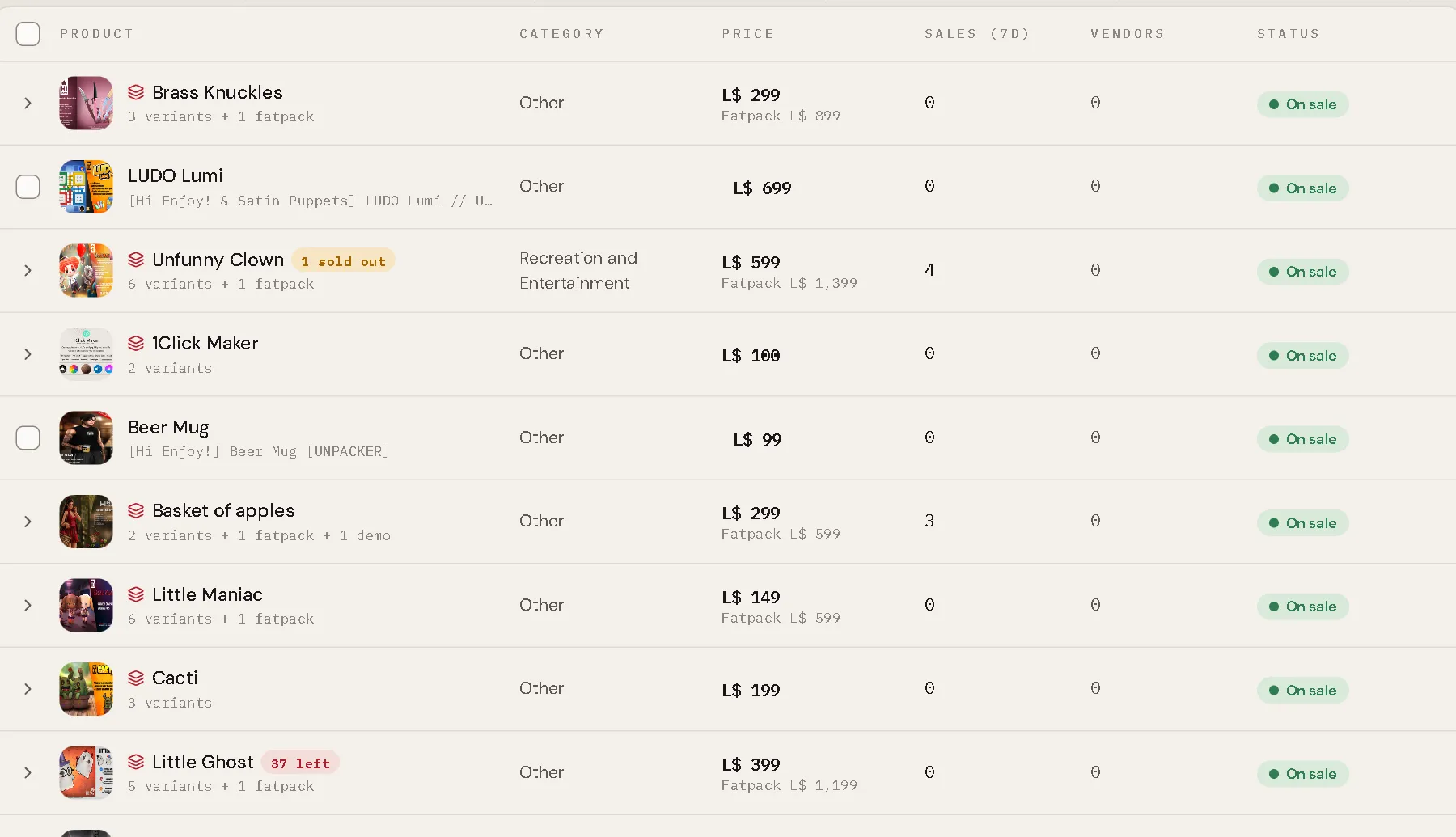
The list shows a badge next to the name: 13 left, sold out, or, on a group, 1 sold out when some variations ran out. A sold-out product shows Sold out in the status column.
Older vendor scripts also stop selling when a product sells out and refund anyone who pays. They just don't show the floating text. Use the Fasty Vendor script from your kit to get it.