Blinn-Phong

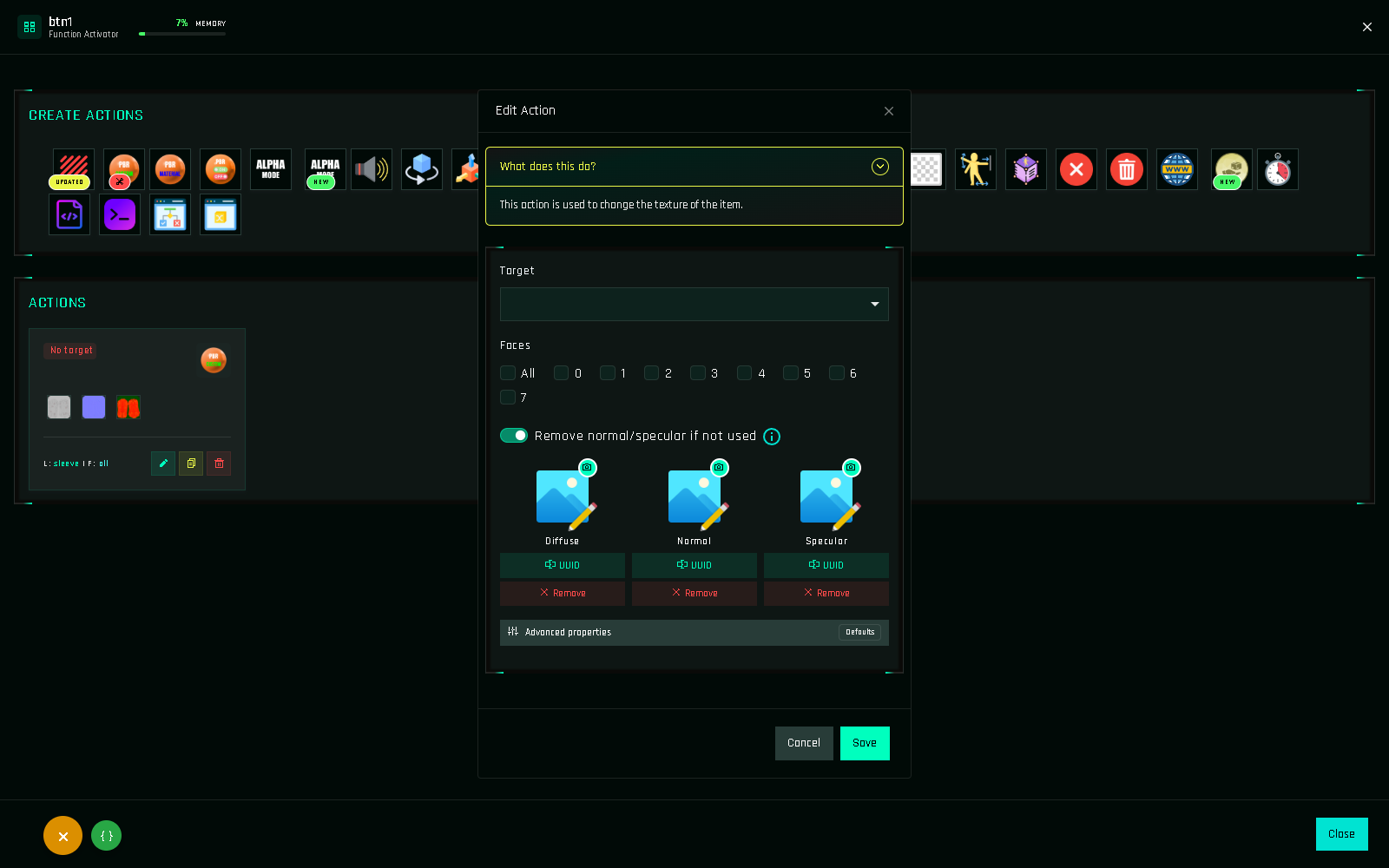
Apply diffuse, normal and specular textures (the classic Second Life texture system).
Blinn-Phong is the traditional Second Life texturing: a diffuse texture (the picture), an optional normal map (bumps) and an optional specular map (shine). This is the action behind almost every clothing HUD.
Fields
| Field | Required | What to enter |
|---|---|---|
Target | Yes | $THIS or a scanned target. |
Link Names | if multi-prim | Which prims of the target. Hidden for single-prim objects. |
Faces | Yes | Faces to texture: 0–7 or All. |
Remove normal/specular if not used | No | On (default): faces get no normal/specular map when the slot is empty here, even if another action applied one before. Off: existing maps are kept. |
Diffuse | Yes | The main texture. Pick from assets or paste a UUID. |
Normal | No | Normal map texture. |
Specular | No | Specular map texture. When set, three more fields appear: |
Color Vector | with specular | Specular tint as an RGB vector. Default <1.000, 1.000, 1.000>. |
Glossiness | with specular | 0–255. Default 51. |
Environment | with specular | 0–255, environment reflection. Default 0. |
Advanced properties | No | Per map: Scale H/V (repeats), Offset H/V, Rotation in degrees, and Repeats / meter, which replaces Scale and follows the prim size like the build window. Only values you change are saved. |
Notes
- Works on PBR faces too? No. Blinn-Phong textures are the layer under a PBR material. If the target currently shows PBR, use PBR On/Off to switch, or PBR Custom with Also apply in Blinn-Phong to set both at once.
- Defaults match a fresh prim: repeats 1×1, offset 0, rotation 0, specular color white, glossiness 51, environment 0.
- Repeats per meter is applied per face using the same axes as the viewer, so it behaves like the build tool's checkbox.
- Advanced properties cost memory only when changed: a few units per changed value.
- Textures must be copy permission for you and, ideally, full-perm assets you own the rights to.
Example: texture buttons for a shirt
text
btn_tex_1  → Blinn-Phong: target Shirt, links body + sleeves, faces All, diffuse "shirt_red"
btn_tex_2  → same with "shirt_blue"   (cloned, texture swapped)
btn_tex_3  → same with "shirt_green"
Full walkthrough: Texture Change HUD.