Creating an Action
Requirements
- A function to put it in (a button, an event or a helper).
- If the action changes another object: that target scanned.
- If the action uses a texture, sound or animation: that asset scanned.
Steps
Open the function. Click ✏️ on its card in the panel.
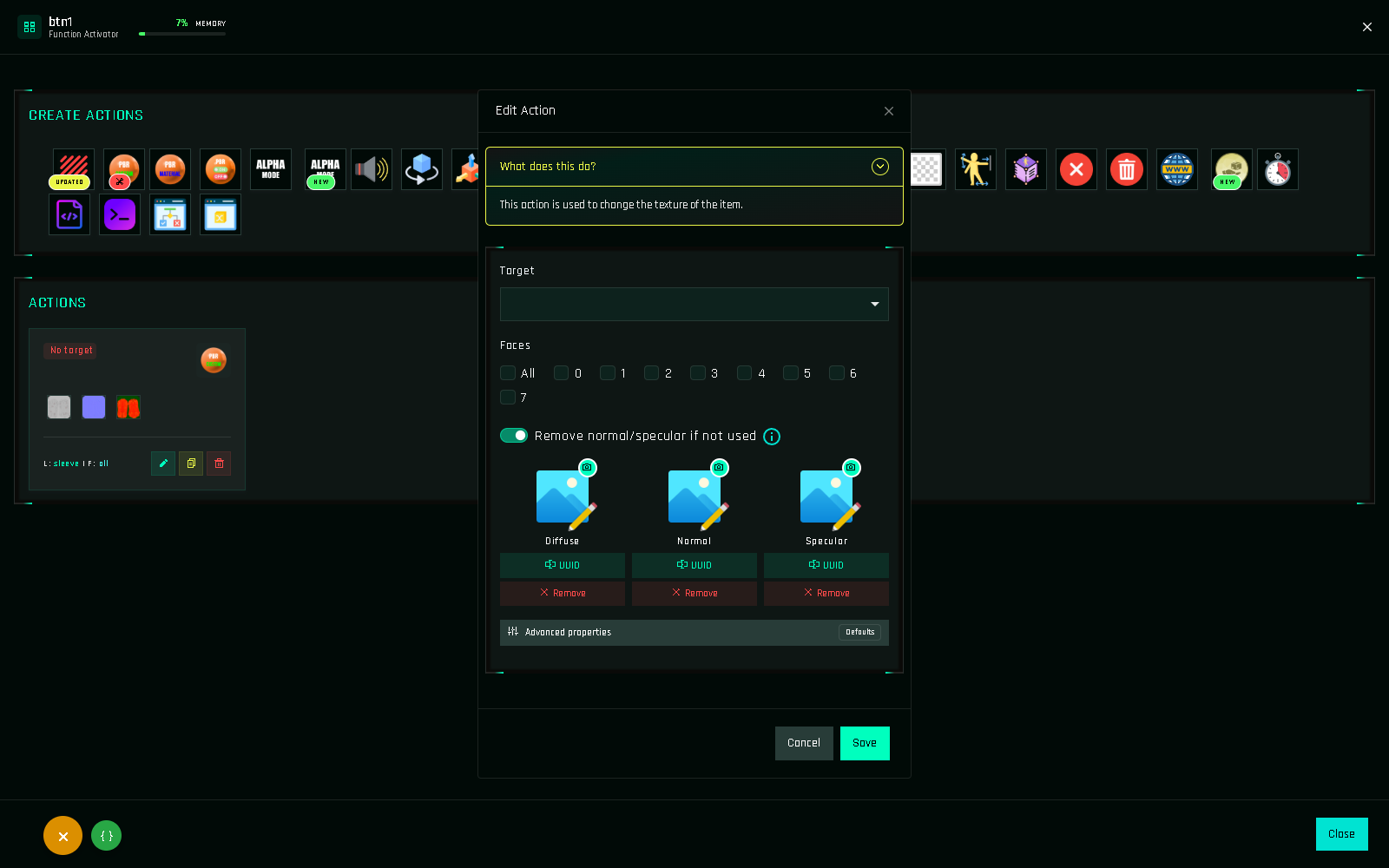
Pick an action in the Create Actions grid at the top. Hover an icon to see its name; icons with NEW or UPDATED changed recently. The form opens.
Read the one-line description at the top of the form ("What does this do?"). It says what the action changes.
Choose the target.
$THISfor the HUD itself, or a scanned target from the dropdown.Choose link names and faces, if the action asks for them.
Fill in the action's own fields. A texture, a color vector, a number of seconds, a message… Each field is described on the action's page in the Actions List.
Save. The action appears at the end of the function's list. Its card shows the target, links (
L:) and faces (F:).Add more actions the same way, then Ctrl+S and Build.
Reading vectors
Several fields take a vector in Second Life format: three numbers between < and >.
| Field | Example | Meaning |
|---|---|---|
| Color | <1.000, 0.000, 0.000> | Red, green, blue from 0 to 1. <1,1,1> is white, <0,0,0> black. |
| Rotation | <0, 0, 90> | Degrees around X, Y, Z. |
| Position | <0, 0, 1> | Meters along X, Y, Z. |
| Size | <0.5, 0.5, 0.5> | Meters. |
The panel accepts <1,0,0> and pads it for you. Numbers use a dot as decimal separator.
Converting a color
Second Life colors are RGB from 0 to 1. Divide a 0–255 value by 255: #FF8000 (255, 128, 0) becomes <1.000, 0.502, 0.000>. The Color Picker does this for your customers in-world.
Validation
The panel refuses to save an action with a missing required field and highlights it. Common cases: no target selected, no face ticked, an invalid vector, an empty texture slot on a texture action, or a timer under 0.1 seconds.
What if the action is PRO only?
FREE accounts can open every action form, but saving a PRO action fails with a Go PRO notice. See FREE vs PRO.