Cloning an Action
Cloning copies one action inside the same function. Use it when you need several similar actions that differ in one field: the same texture action for three different links, or a rotation followed by the opposite rotation.
Open the function.
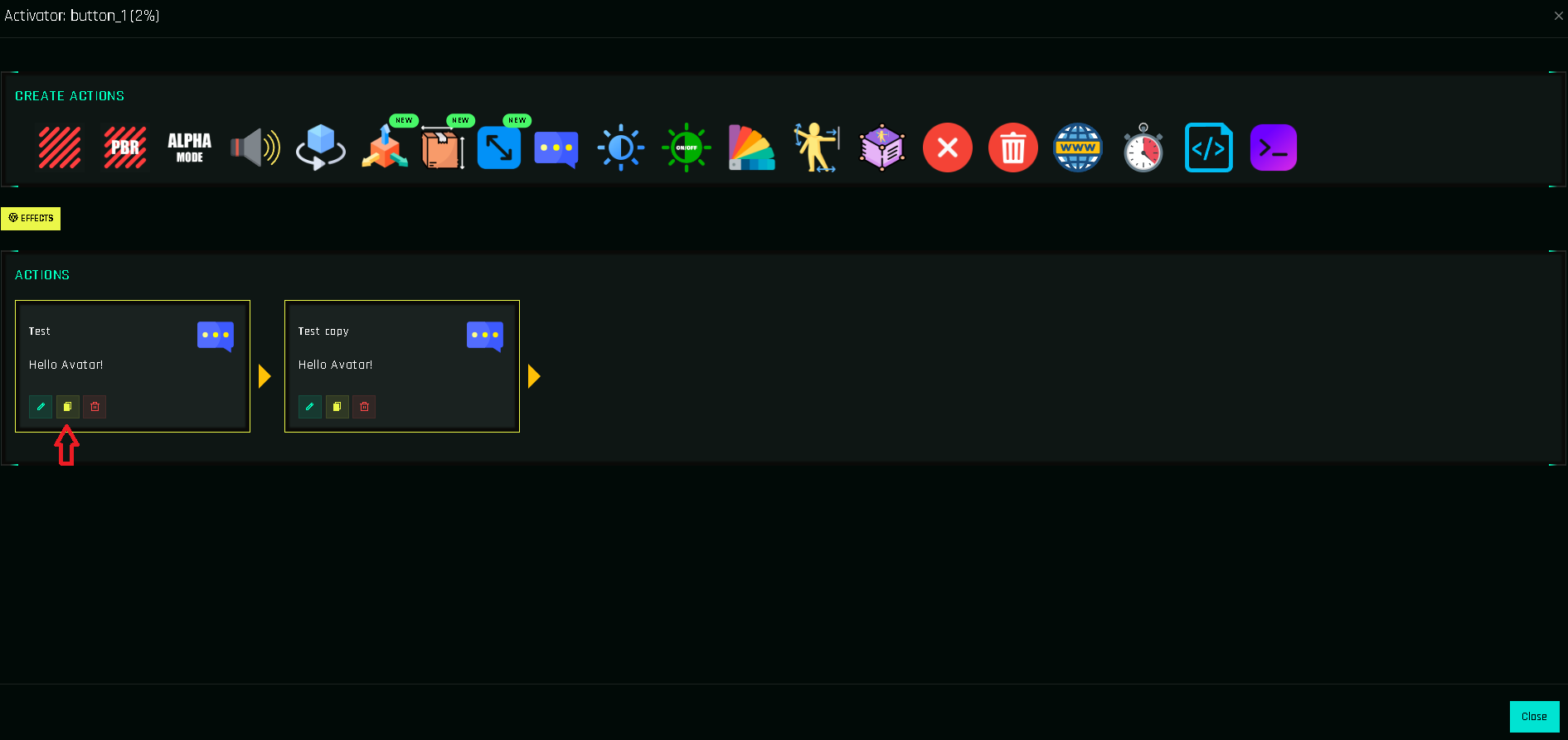
Click the yellow 📄 on the action card.
The copy is added at the end of the list. Open it with ✏️ and change what differs, or drag it into place.
Clone vs. clone function
| I want to… | Use |
|---|---|
| Repeat an action with small changes in this function | Clone an action (this page) |
| Give another button the same set of actions | Cloning Functions |
| Reuse the same sequence in many buttons | A helper function |