Actions
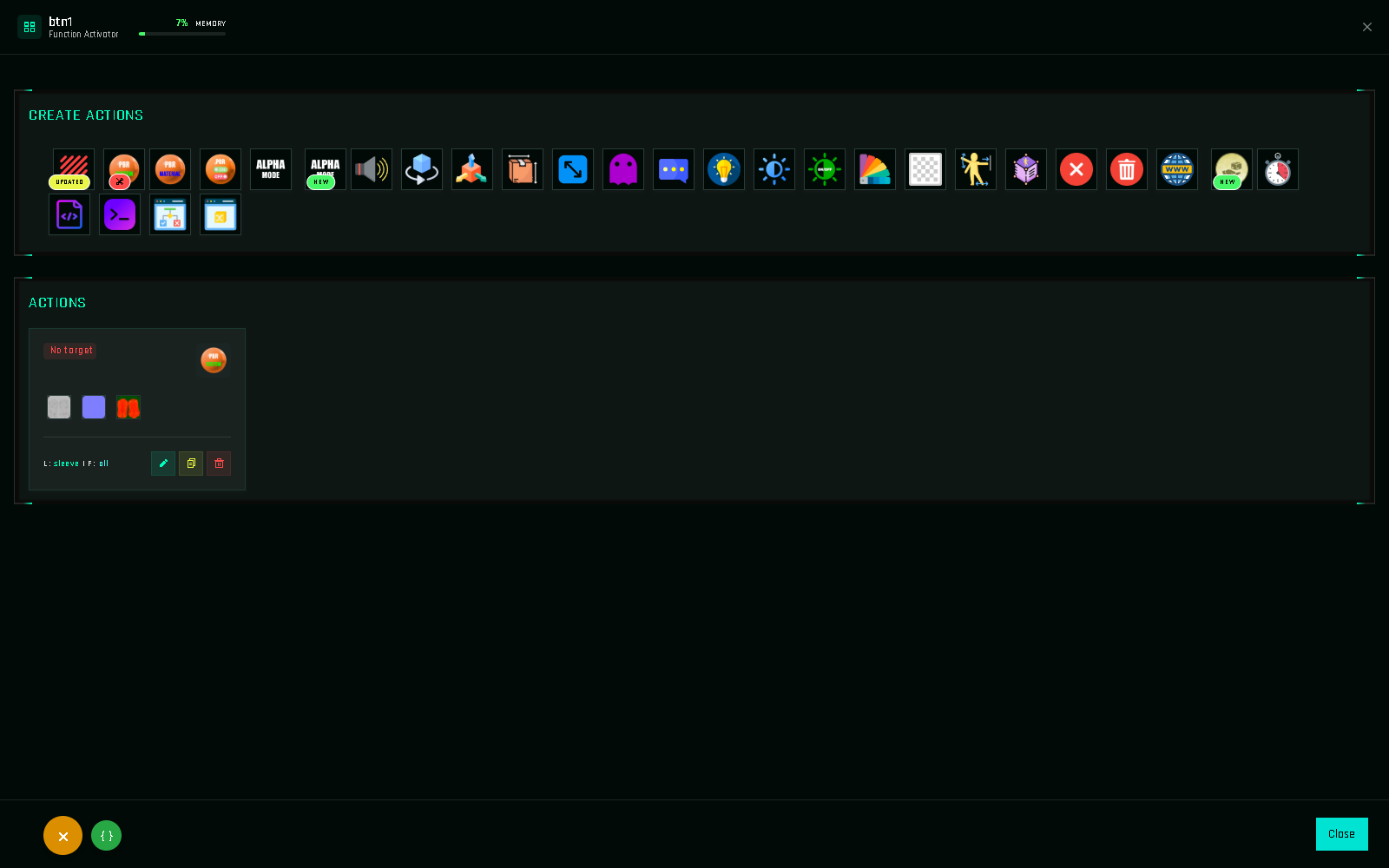
Actions are the heart of 1Click Maker. Each one is a single command: apply this texture, play this sound, rotate that prim, wait two seconds, say this in chat. A function is nothing more than a list of actions.
The full catalog, with every field explained, is in the Actions List.
Where actions live
Actions are always inside a function: a button function, an event function or a helper. Open the function with ✏️ and you are in the action editor.
Execution order
Actions run top to bottom, one after the other, in the order shown. Order matters whenever timing or sequence changes the result:
1. Sound        → play "click"
2. Timer        → wait 2 s          ← everything below waits
3. Message      → "Outfit applied!"
Put the Message before the Timer and it appears immediately. Drag cards to reorder.
How many actions per function?
As many as memory allows. Two limits apply:
- The project memory (5,100 units on FREE, 60,000 on PRO).
- A single function can hold up to 1,200 units of actions. A typical action costs 15–85 units, so that is a few dozen actions per function. If you hit it, move part of the sequence into a helper function.
Each action's cost is listed in Memory.
Targets, links and faces
Most actions start with the same three fields:
| Field | Meaning |
|---|---|
| Target | The object to change: $THIS (the HUD / the clicked button) or a scanned target. |
| Link Names | Which prims of that object. Hidden for single-prim objects. See Link Names. |
| Faces | Which faces of those prims: 0–7 or All. |
Actions that do not change an object (Sound, Message, Timer, Animation…) skip these fields.
Add-ons
Some actions need an extra script in the object that runs them. The form shows a yellow warning with the script name, and the action page lists it. Overview in The Scripts.
Editing, cloning, deleting, reordering
Creating an Action Pick an action from the grid and fill its form.
Editing an Action Reopen the form with the current values.
Cloning an Action Duplicate an action inside the function.
Reordering Actions Drag cards to change the sequence.
Availability by plan
FREE includes the essentials: Blinn-Phong, PBR Custom, Material PBR, Sound, Rotate, Message, Color, Transparency, Condition and Change Variable. PRO unlocks everything. See FREE vs PRO.