Helper Functions
A helper function (the old docs called it an auxiliary function) is a function that no button or event triggers directly. It exists to be called by other functions, through the Activate Function action.
When to use one
- Repeated sequences. The same 3 actions in 30 buttons? Put them in one helper.
- Memory. Every action costs memory. One helper with 3 actions + 30 calls costs far less than 90 actions.
- Maintenance. Change the sound, the delay or the message in one place.
- Structure. Break a long function into named steps:
intro,apply_outfit,cleanup. - Logic. A condition branch can call the same helper as a button, so one behavior is defined once.
Create a helper
Click the green + next to the Functions title.
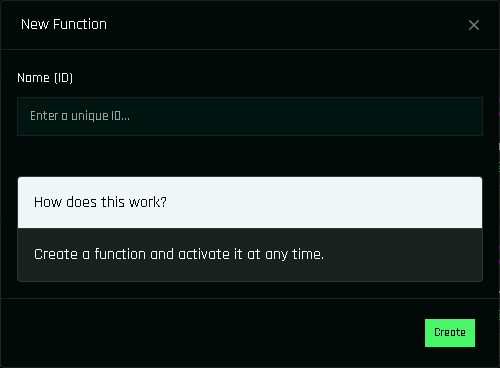
The New Function window. Enter a unique name. Do not reuse a button name: a helper named like a linked prim would also run when that prim is clicked.
Click Create. The helper appears in the function list like any other function.
Open it and add actions.
Group selected? The helper joins it
If a group filter is active when you create a function, the new function is added to that group automatically.
Call a helper
In any function (button, event or another helper), add the action Activate Function and pick the helper from the list. The helper's actions run at that point in the sequence, then the calling function continues with its next action.
button_blue
├─ Activate Function → fx_click      (sound + message live in fx_click)
└─ Color → $THIS, all faces, <0,0,1>
Rules and limits
- A helper can call another helper. Keep chains short; deep nesting is hard to debug.
- Do not make a helper call itself (directly or through another helper). It would loop forever and the object would stop responding until you rebuild.
- A helper still counts the base 30 units of memory that every function costs.
- Every function except condition branches is listed in the Activate Function dropdown, so a button function can be called from another button too.
Example: one click sound for the whole HUD
- Create the helper
fx_clickwith a Sound action (Play, your click sound, volume 60). - In every button, add Activate Function → fx_click as the first action.
- Later, swapping the click sound means editing
fx_clickonly.
See also Cloning Functions to add that first action to many buttons quickly.