Registering an Event
In the panel, click the + next to Events at the top of the center area.
The New Event window lists every event with a short description. Use the search box to filter (Attach, Rez, Walk…).
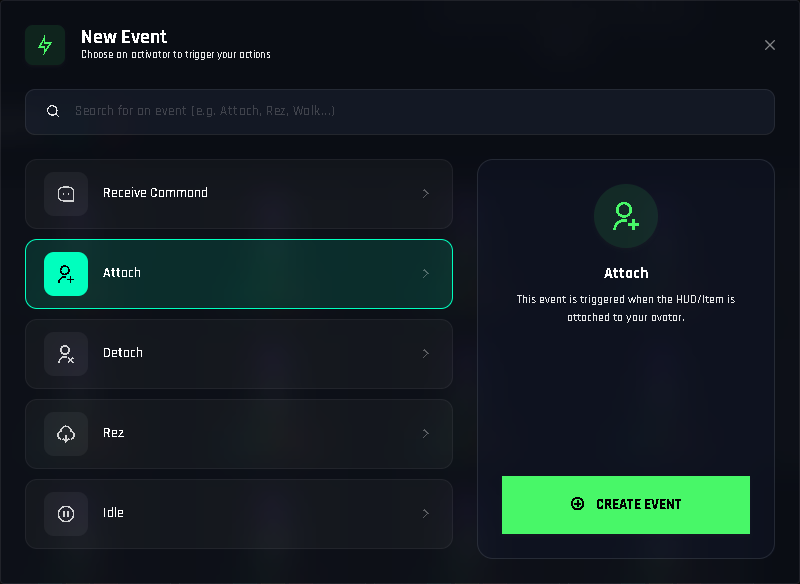
The New Event window. Events already in use are marked. Click an event, then Create Event. For Receive Command, also type the command name (up to 30 characters; letters, numbers,
_,-,.and spaces).The event appears in the Events row as a function. Open it with ✏️ and add actions like in any function.
Drop
[add-on] - Events - 1Clickinto the object's Content (if it is not there yet).- Ctrl+S and Build.
Rules
- Each event can be registered once per project (one Attach, one Jump…). Receive Command is the exception: each command name is its own event.
- Attach is created automatically in new projects. It is empty until you add actions.
- Deleting an event deletes its actions. Use the 🗑️ on its card and confirm.
Testing events
Attach, Detach and Rez are easy: wear, take off, rez. For movement events wear a copy of the HUD and walk, run, jump, stand still. Remember the original must stay on the ground for building; only the copy is attached.
Idle fires after you stop
Idle means the avatar is standing still on the ground. The old Stop walking and Stop running events were removed in the December 2025 update; use Idle to react when movement stops.
Events that happen to a target, not the HUD
If you want a chair to react when someone sits, or a pet to play an animation when it is rezzed, the chair or pet needs its own project. Put *BUILD, *FUNCTIONS and the Events add-on in it, register the events there, and optionally connect it to a HUD with commands.